
Glide-Reflections Activity
Loading the math board and drawing, please wait…
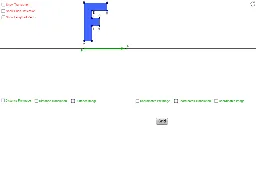
This GeoGebra activity visually demonstrates how a glide reflection works, showing the composite transformation of a shape first translated along a line and then reflected across that same line. The core mathematical concepts include geometric transformations—translation, reflection, and their composition as a glide reflection—along with similarity transformations and symmetry. Construction highlights: the initial polygon (e.g., a rhombus) is created using the Polygon command; points and lines define the reflection axis; a Vector command establishes the translation vector; the Translate command performs the translation; the Mirror command applies the reflection; and the Distance command verifies corresponding distances. The object list includes multiple points (A through J, A13-A23, etc.) and auxiliary lines to track the pre-image and image. This activity is suitable for middle or high school geometry lessons on transformations, as well as introductory college geometry, helping learners grasp the essence of glide reflections and their relationship to translation and reflection.
GeoGebra Commands & Parameters
Polygon(A, B, C, D, E, F, G, H, I, J) → poly1, a, j, b, c, d, e, f, g, h, iPoint(xAxis) → KLine(P, K) → mPoint(m) → QVector(P, Q) → zTranslate(A, z) → A'_1Translate(B, z) → B'_1Translate(C, z) → C'_1Translate(D, z) → D'_1Translate(E, z) → E'_1Translate(F, z) → F'_1Translate(G, z) → G'_1Translate(H, z) → H'_1Translate(I, z) → I'_1Translate(J, z) → J'_1Polygon(A'_1, B'_1, C'_1, D'_1, E'_1, F'_1, G'_1, H'_1, I'_1, J'_1) → poly1', a', j', b', c', d', e', f', g', h', i'Translate(B14, z) → A'Translate(B15, z) → B'Translate(B16, z) → C'Translate(B17, z) → D'Translate(B18, z) → E'Translate(B19, z) → F'Translate(B20, z) → G'Translate(B21, z) → H'Translate(B22, z) → I'Translate(B23, z) → J'Mirror(A'_1, m) → A''_1Mirror(B'_1, m) → B''_1Mirror(C'_1, m) → C''_1Mirror(D'_1, m) → D''_1Mirror(E'_1, m) → E''_1Mirror(F'_1, m) → F''_1Mirror(G'_1, m) → G''_1Mirror(H'_1, m) → H''_1Mirror(I'_1, m) → I''_1Mirror(J'_1, m) → J''_1Polygon(A''_1, B''_1, C''_1, D''_1, E''_1, F''_1, G''_1, H''_1, I''_1, J''_1) → poly1'', a'', j'', b'', c'', d'', e'', f'', g'', h'', i''Mirror(A', m) → A''Mirror(B', m) → B''Mirror(C', m) → C''Mirror(D', m) → D''Mirror(E', m) → E''Mirror(F', m) → F''Mirror(G', m) → G''Mirror(H', m) → H''Mirror(I', m) → I''Mirror(J', m) → J''Distance(A, m) → B2Distance(B, m) → B3Distance(C, m) → B4Distance(D, m) → B5Distance(E, m) → B6Distance(F, m) → B7Distance(G, m) → B8Distance(H, m) → B9Distance(I, m) → B10Distance(J, m) → B11Distance(A', m) → D2Distance(B', m) → D3Distance(C', m) → D4Distance(D', m) → D5Distance(E', m) → D6Distance(F', m) → D7Distance(G', m) → D8Distance(H', m) → D9Distance(I', m) → D10Distance(J', m) → D11Distance(A'', m) → F2Distance(B'', m) → F3Distance(C'', m) → F4Distance(D'', m) → F5Distance(E'', m) → F6Distance(F'', m) → F7Distance(G'', m) → F8Distance(H'', m) → F9Distance(I'', m) → F10Distance(J'', m) → F11Translate(A, z) → D14Translate(B, z) → D15Translate(C, z) → E16_1Translate(C, z) → D16Translate(D, z) → D17Translate(E, z) → D18Translate(F, z) → D19Translate(G, z) → D20Translate(H, z) → D21Translate(I, z) → D22Translate(J, z) → D23Mirror(A', m) → F14Mirror(B', m) → F15Mirror(C', m) → F16Mirror(D', m) → F17Mirror(E', m) → F18Mirror(F', m) → F19Mirror(G', m) → F20Mirror(H', m) → F21Mirror(I', m) → F22Mirror(J', m) → F23Distance(P, Q) → distancePQ
AI Drawing Prompt Reference
Draw a polygon with ten vertices as the original shape. Pick a point on the x-axis and connect it to a fixed point to form a line as the reflection axis. Choose another point on this line to define a translation vector from the fixed point to that point. First translate every vertex of the original polygon by this vector to get a translated polygon. Then reflect the translated polygon across the line to obtain the final image. Also apply the same translation and reflection to another set of auxiliary points to show the combined transformation. Finally, measure the distance from a point on the original shape to the reflection axis to verify that corresponding distances remain unchanged.
The prompt above was compiled from the original drawing commands and is for reference only.