
Making Scaled Copies: IM 7.1.3 Practice
Loading the math board and drawing, please wait…
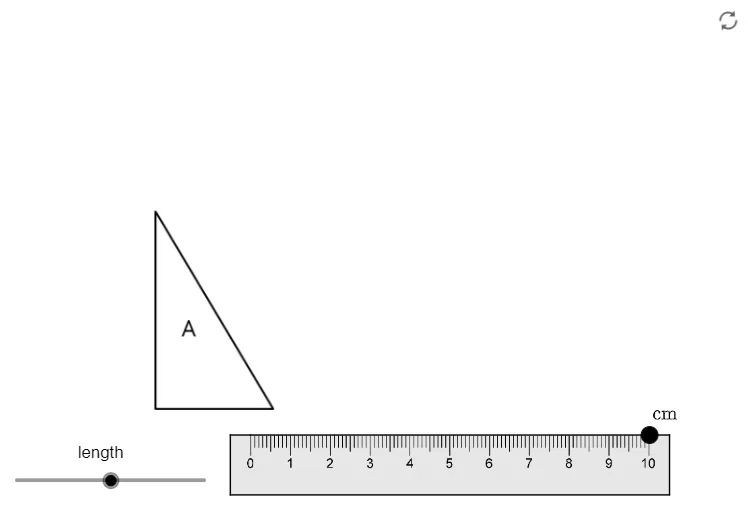
① This example demonstrates how to create a scaled copy of a geometric figure using construction tools, visually illustrating the process of similar figures through translation and scaling. ② Core mathematical concepts include proportional scaling, similarity, translation transformations, and the application of vector directions to understand how scale factors affect the size of shapes. ③ Construction highlights: from the summary, the GeoGebra commands used include Point, UnitOrthogonalVector, UnitVector, and Polygon, with multiple points (A_1 to A_6, A, B) and polygon poly1 created, along with several image objects (pic1 to pic15) as auxiliary materials; vectors v and u control the scaling and translation directions. ④ Suitable for middle school (Grade 7) practice sessions, reinforcing concepts of scale and similar figures, and can serve as an interactive demonstration for teachers or student exploration.
GeoGebra Commands & Parameters
Point(Circle[A_1, ruler]) → A_6UnitOrthogonalVector(Segment[A_1, A_6]) → vUnitVector(Segment[A_1, A_6]) → uPolygon(A_1, A_2, A_3, A_4, A_5, A_6) → poly1, a_3, a_4, a_5, a_6, a_7, a_8
AI Drawing Prompt Reference
Draw a hexagon and show how to create a scaled copy of it using translation and scaling. Start by drawing a hexagon, then create a line segment from one vertex to the opposite vertex. Based on this segment, generate a unit orthogonal vector and a unit vector to represent the scaling and translation directions. Use these vectors to translate and scale the hexagon, creating a new one that visually demonstrates the formation of similar figures.
The prompt above was compiled from the original drawing commands and is for reference only.