
Rotating Triangle
Loading the math board and drawing, please wait…
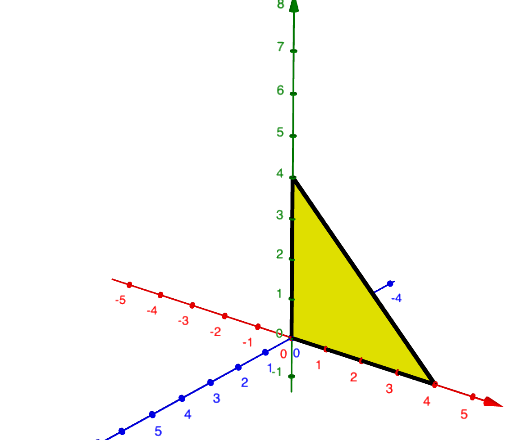
This example demonstrates the dynamic process of rotating a triangle around a point. Core math concepts include rotation, geometric transformation, and properties of triangles. Construction highlights involve commands/objects like Point, Intersect, Polygon, Rotate, Mirror from GeoGebra. Suitable for high school mathematics teaching to understand transformations and geometric constructions.
GeoGebra Commands & Parameters
Point(yAxis) → APoint(xAxis) → BIntersect(xAxis, yAxis) → CPolygon(C, A, B) → q1, f, g, hRotate(C, (-turn), yAxis) → C'Rotate(A, (-turn), yAxis) → A'Rotate(D, (-turn), yAxis) → D'Rotate(B, (-turn), yAxis) → B'Polygon(C', A', B') → q1', i, j, kMirror(Surface[g, turn, yAxis], Plane[yAxis, xAxis]) → aMirror(Surface[h, turn, yAxis], Plane[yAxis, xAxis]) → b
AI Drawing Prompt Reference
Draw a triangle with one vertex at the intersection of the axes, another on the y-axis, and the last on the x-axis. Then rotate the triangle around the y-axis to see how it moves. Finally, perform a mirror transformation of the rotated triangle across the y-axis.
The prompt above was compiled from the original drawing commands and is for reference only.