
Rotating Ellipse Ring
Loading the math board and drawing, please wait…
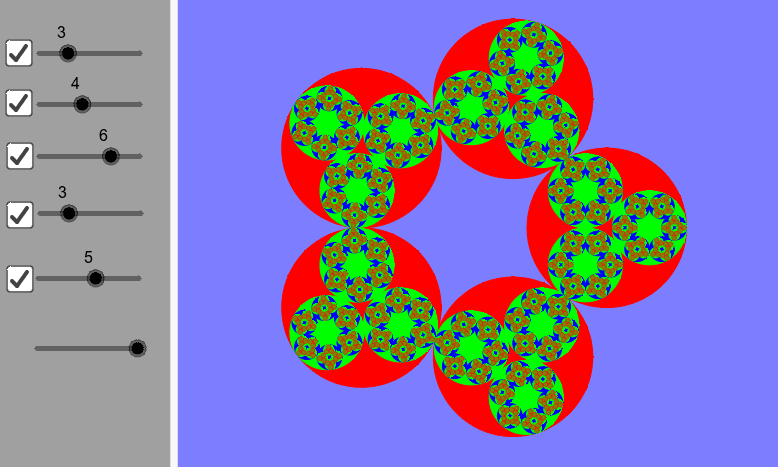
This example demonstrates the generation process of a rotating ellipse ring. Core mathematical concepts include ellipses, rotation, and trigonometric functions. Using GeoGebra commands such as Circle and Sequence, a series of rotating ellipses are constructed to form a dynamic ring shape. Suitable for high school mathematics education, particularly in coordinate geometry and trigonometry.
GeoGebra Commands & Parameters
Circle((0, 0), 1) → r1Sequence(Rotate[Dilate[r1, f(a1), (1, 0)], (k * a1), (0, 0)], k, 0, n1 - 1) → r2Sequence(Rotate[Dilate[r2, f(a2), (1, 0)], (k * a2), (0, 0)], k, 0, n2 - 1) → r3Sequence(Rotate[Dilate[r3, f(a3), (1, 0)], (k * a3), (0, 0)], k, 0, n3 - 1) → r4Sequence(Rotate[Dilate[r4, f(a4), (1, 0)], (k * a4), (0, 0)], k, 0, n4 - 1) → r5Sequence(Rotate[Dilate[r5, f(a5), (1, 0)], (k * a5), (0, 0)], k, 0, n5 - 1) → r6Sequence(Rotate[Dilate[r1, f(a5), (1, 0)], (k * a5), (0, 0)], k, 0, n5 - 1) → C1Sequence(Rotate[Dilate[r1, f(a4), (1, 0)], (k * a4), (0, 0)], k, 0, n4 - 1) → C2Sequence(Rotate[Dilate[C2, f(a5), (1, 0)], (k * a5), (0, 0)], k, 0, n5 - 1) → C3Sequence(Rotate[Dilate[r1, f(a3), (1, 0)], (k * a3), (0, 0)], k, 0, n3 - 1) → C4Sequence(Rotate[Dilate[C4, f(a4), (1, 0)], (k * a4), (0, 0)], k, 0, n4 - 1) → C5Sequence(Rotate[Dilate[C5, f(a5), (1, 0)], (k * a5), (0, 0)], k, 0, n5 - 1) → C6Sequence(Rotate[Dilate[r1, f(a2), (1, 0)], (k * a2), (0, 0)], k, 0, n2 - 1) → C7Sequence(Rotate[Dilate[C7, f(a3), (1, 0)], (k * a3), (0, 0)], k, 0, n3 - 1) → C8Sequence(Rotate[Dilate[C8, f(a4), (1, 0)], (k * a4), (0, 0)], k, 0, n4 - 1) → C9Sequence(Rotate[Dilate[C9, f(a5), (1, 0)], (k * a5), (0, 0)], k, 0, n5 - 1) → C10
AI Drawing Prompt Reference
Draw a unit circle centered at the origin, then generate a series of rotating ellipses around it to form a dynamic ring structure. First, draw a unit circle, then use rotation and scaling to generate a series of ellipses that rotate around the circle, forming a ring. Finally, adjust the rotation angles and scaling factors to generate multiple rings, creating a complex dynamic shape.
The prompt above was compiled from the original drawing commands and is for reference only.