
Rotating a Function: Dynamic Coordinate Transformation
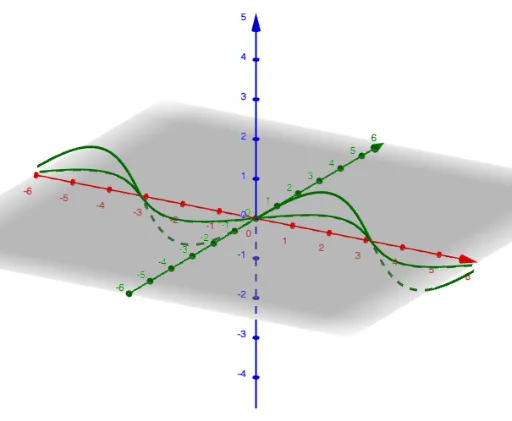
Loading the math board and drawing, please wait…
In collections
Learn GeoGebra Classic
①This example demonstrates how to rotate a function curve around the origin by an arbitrary angle, visually showing the resulting image transformation. ②The core mathematical concept is the rotation transformation in coordinate geometry, involving rigid motion of the function graph and the coordinate mapping between original and rotated points. ③Construction highlights: using the GeoGebra Rotate command with the function f as the object, angle α as the rotation parameter, generating the rotated image f_1; a slider controls α for dynamic observation. ④Suitable for high school or early college students to understand function graph transformations, coordinate rotation in analytic geometry, and to build intuition for later topics like differential equations or similarity transformations.
GeoGebra Commands & Parameters
Rotate(f, α, xAxis) → f_1
AI Drawing Prompt Reference
Draw a Cartesian coordinate plane with a function curve plotted on it. Include a slider to control the rotation angle. As the slider value changes, the original curve rotates around the origin by that angle, producing a new rotated curve. Clearly distinguish the two curves using different colors or line styles. The rotation should be shown dynamically, illustrating the coordinate transformation. The figure should include axes, tick marks, the original curve, the rotated curve, and the angle slider, with a clear layout for observing the positional change before and after rotation.
The prompt above was compiled from the original drawing commands and is for reference only.