
Rise & Run Interactive Example
Loading the math board and drawing, please wait…
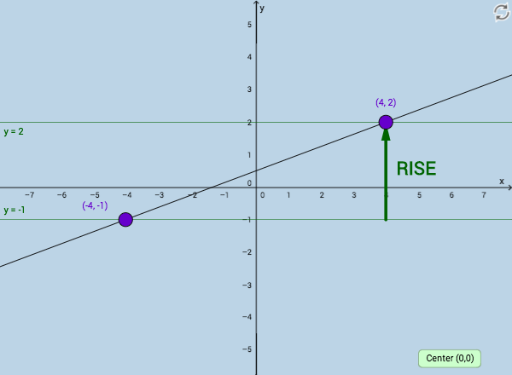
This example demonstrates the calculation of vertical and horizontal distances between two points on a line. It involves core math concepts like the difference in y-coordinates (Rise) and x-coordinates (Run) in coordinate geometry. Construction highlights include using GeoGebra commands such as Line, Intersect, Vector, Distance, and Angle. Suitable for middle school and above, helping students understand the relationship between the hypotenuse and legs of a right triangle, and coordinate calculations in analytical geometry.
GeoGebra Commands & Parameters
Line(A, B) → aIntersect(b, c) → CVector(A, C) → uVector(C, B) → vDistance(C, B) → distanceCBDistance(A, C) → distanceACAngle(B, C, A) → α
AI Drawing Prompt Reference
Draw a line AB, then find two points C and B on this line. Construct vector u from point A to C, and vector v from point C to B. Measure the lengths of vectors u and v, and the angle ACB.
The prompt above was compiled from the original drawing commands and is for reference only.