
Right Triangle Trig Practice - Finding Sides
Loading the math board and drawing, please wait…
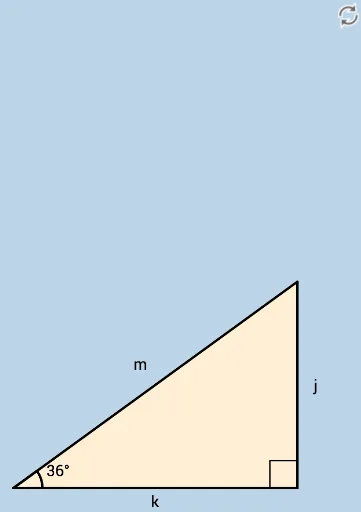
This interactive GeoGebra example is a practice tool for solving missing side lengths in right triangles using trigonometric ratios. It randomly generates a right triangle with a known acute angle and one side, then asks the learner to compute another side using sine, cosine, or tangent, with instant feedback on the answer. The core mathematical concepts are the definitions of trigonometric functions (sin, cos, tan) in right triangles and their application to solve for unknown sides. The construction uses GeoGebra commands such as Sequence, RandomElement, Random, Rotate, Ray, Segment, Angle, Intersect, Polygon, and Textfield, along with interactive objects like InputBox, button, and text fields. Key objects include points A, B, C, D, polygon poly1, angles α and β, and side labels hyp, opp, adj. This resource is suitable for middle school or high school students learning trigonometry, serving as classroom practice or self-assessment to reinforce understanding of trigonometric ratios and problem-solving skills.
GeoGebra Commands & Parameters
Sequence(5, 20, 0.1) → adjacentlistRandomElement(adjacentlist) → adjRandom(15, 75) → angleRotate(A, (57 * π / 180), B) → A'Ray(B, A') → gSegment(A, B) → kSequence(i°, i, 15, 75, 1) → list1RandomElement(list1) → angRotate(C, ang, B) → C'Angle(C, B, C') → αRay(B, C') → hIntersect(f, h) → DPolygon(B, A, D) → poly1, d, b_1, a_1Segment(B, D) → mSegment(D, A) → jAngle(D, A, B) → βRandom(1, 3) → nTextfield(kans) → InputBox1Textfield(jans) → InputBox2Textfield(mans) → InputBox3