
Right Triangle Folding and Rectangle Relationship
Loading the math board and drawing, please wait…
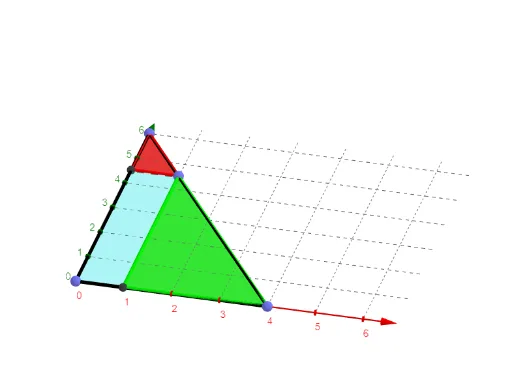
This GeoGebra example demonstrates how folding a right triangle reveals a geometric relationship with a rectangle, visually connecting the area and shape transformation between the two figures. Core mathematical concepts include properties of right triangles, rectangle area, rotation and symmetry transformations, similar triangles, and angle relations. Construction summary: using Point, Segment, Polygon, and Rotate commands, the example builds a base right triangle and rectangle, then rotates parts to simulate folding, with auxiliary points (E', D', C', etc.) and segments (d', f', etc.) tracking the folded positions, plus a text label (text1) for annotation. Suitable for middle school geometry lessons, this interactive model helps students understand area conservation, geometric transformations, and the relationship between right triangles and rectangles, and can be used to explore dynamic folding problems.
GeoGebra Commands & Parameters
Point(xAxis) → APoint(xAxis) → BPoint(yAxis) → CSegment(B, C) → fPoint(f) → DPolygon(E, D, C) → t1, c, e, dPolygon(D, F, B) → t2, b, d_1, f_1Rotate(E, α, c) → E'Rotate(D, α, c) → D'Rotate(C, α, c) → C'Polygon(E', D', C') → t1', c', e', d'Rotate(D, α, b) → D'_1Rotate(F, α, b) → F'Rotate(B, α, b) → B'Polygon(D'_1, F', B') → t2', b', d'_1, f'Segment(A, B) → gSegment(A, C) → hPolygon(A, F, D, E) → q1, a, f_2, d_2, e_1