
Rhombus Template with Investigation
Loading the math board and drawing, please wait…
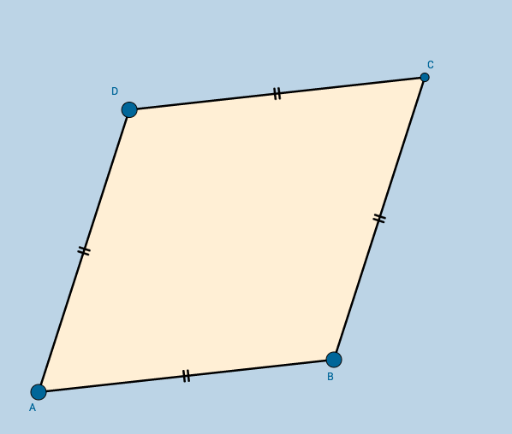
This example demonstrates the geometric construction and properties exploration of a rhombus. It involves core math concepts like polygons, vectors, and geometric construction. Key GeoGebra commands used include Circle, Point, Intersect, Segment, and Polygon. Suitable for middle school and above students for geometry learning and exploration activities.
GeoGebra Commands & Parameters
Circle(A, B) → cPoint(c) → DCircle(B, A) → dCircle(D, A) → eIntersect(d, e, 2) → CSegment(A, B) → aSegment(B, C) → bSegment(C, D) → fSegment(D, A) → gPolygon(A, B, C, D) → poly1, a_1, b_1, c_1, d_1
AI Drawing Prompt Reference
Draw a rhombus. Start with a horizontal segment as the base. Use the left endpoint as the center and the base length as radius to draw a circle, then pick a point on this circle as one vertex. Next, draw two circles centered at the right endpoint and that vertex, both with the same radius. The intersection of these two circles on the same side of the base gives the fourth vertex. Connect all four vertices in order to form the rhombus, and show its four sides.
The prompt above was compiled from the original drawing commands and is for reference only.