
Rhombus Properties Illustrated
Loading the math board and drawing, please wait…
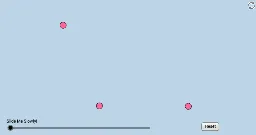
This example demonstrates the properties of a rhombus without requiring any segment lengths or angle measures. It involves core mathematical concepts such as polygons, angles, vectors, and transformations. The construction utilizes GeoGebra commands and objects like Circle, Line, Intersect, CircleArc, Point, Segment, Min, Dilate, Angle, Rotate, CircleSector, Polygon, Vector, and Translate. It is suitable for high school mathematics education, providing an intuitive visualization of the rhombus's symmetry, perpendicular bisectors of diagonals, and other key properties, aiding students in understanding geometric constructions.
GeoGebra Commands & Parameters
Circle(B, A) → fCircle(A, B) → cLine(A, B) → bIntersect(c, b, 2) → CCircleArc(A, B, C) → dPoint(d) → DSegment(D, B) → sCircle(D, A) → eIntersect(e, f, 2) → ESegment(A, E) → nIntersect(n, s) → LSegment(A, B) → aSegment(A, D) → gSegment(D, E) → hSegment(E, B) → iMin(g, h) → jDilate(B, If[0 < l ≤ 1, 1 - l, 0], A) → B'Segment(B, B') → mAngle(E, B, A) → αAngle(D, E, B) → βRotate(B, If[1 < l ≤ 2, ((-(l - 1)) * α), α], B) → B'_1Rotate(B', If[1 < l ≤ 2, ((-(l - 1)) * α), (-α)], B) → B''Segment(B'_1, B'') → m'Rotate(B'_1, If[2 < l ≤ 3, ((-(l - 2)) * β), (-β)], E) → JRotate(B'', If[2 < l ≤ 3, ((-(l - 2)) * β), (-β)], E) → B'''Segment(J, B''') → m''Rotate(J, If[3 < l ≤ 4, ((-(l - 3)) * α), (-α)], D) → J'Rotate(B''', If[3 < l ≤ 4, ((-(l - 3)) * α), (-α)], D) → KSegment(J', K) → m'''Circle(B, (0.2 * j)) → kCircle(E, (0.2 * j)) → pIntersect(p, m'', 1) → FIntersect(p, m', 1) → GIntersect(k, m', 1) → HIntersect(k, m, 1) → ICircleSector(B, H, I) → qCircleSector(E, F, G) → rPolygon(A, B, E, D) → poly1, a_1, b_1, e_1, d_1Dilate(B, If[5 < l ≤ 6, 6 - l, 0], D) → B'_2Vector(B, B'_2) → uTranslate(q, u) → q'Rotate(q', If[6 < l ≤ 7, ((l - 6) * π), 3.141592653589793], D) → q''Dilate(E, If[7 < l ≤ 8, 8 - l, 0], A) → E'Vector(E, E') → vTranslate(r, v) → r'Rotate(r', If[8 < l ≤ 9, ((-(l - 8)) * π), -3.141592653589793], A) → r''Dilate(D, If[9 < l ≤ 10, 10 - l, 0], L) → D'Vector(D, D') → wMin(n / 2, s / 2) → oCircle(L, (0.2 * o)) → tIntersect(t, s, 2) → MIntersect(t, n, 2) → NCircleSector(L, M, N) → c_1Segment(D, D') → f_1Dilate(L, If[10 < l ≤ 11, 11 - l, 0], B) → L'Circle(D, (0.2 * j)) → h_1Intersect(k, s) → P,Intersect(s, f_1) → QIntersect(h_1, s, 1) → OCircle(A, (0.2 * j)) → k_1Intersect(k_1, m, 1) → RIntersect(k_1, n, 1) → SIntersect(k_1, m''', 1) → TIntersect(h_1, m'', 1) → UCircleSector(D, O, U) → q_1Dilate(A, If[11 < l ≤ 12, 12 - l, 0], L) → A'Segment(A, A') → i_1Dilate(L, If[12 < l ≤ 13, 13 - l, 0], E) → L'_1Segment(L, L'_1) → j_1Intersect(p, m'', 1) → VIntersect(p, n, 1) → WCircleSector(A, S, T) → s_1CircleSector(B, P, I) → p_1Intersect(p, m', 1) → ZCircleSector(E, W, Z) → r_1Segment(L, L') → g_1Rotate(L, If[13 < l ≤ 14, ((-(l - 13)) * π), -3.141592653589793], L) → L'_2Rotate(L', If[13 < l ≤ 14, ((-(l - 13)) * π), -3.141592653589793], L) → L''Segment(L'_2, L'') → l_1Rotate(L, If[14 < l ≤ 15, ((-(l - 14)) * π), 3.141592653589793], L) → L'_3Rotate(L'_1, If[14 < l ≤ 15, ((-(l - 14)) * π), 3.141592653589793], L) → A_1Segment(L'_3, A_1) → m_1Rotate(q_1, If[15 < l ≤ 16, ((-(l - 15)) * α / 2), ((-α)) / 2], D) → t_1Rotate(p_1, If[15 < l ≤ 16, ((-(l - 15)) * α / 2), ((-α)) / 2], B) → c_2Rotate(s_1, If[16 < l ≤ 17, ((-(l - 16)) * β / 2), ((-β)) / 2], A) → d_2Rotate(r_1, If[16 < l ≤ 17, ((-(l - 16)) * β / 2), ((-β)) / 2], E) → e_2Rotate(c_1, If[17 < l ≤ 18, ((l - 17) * π / 2), 1.5707963267948966], L) → f_2
AI Drawing Prompt Reference
Draw a rhombus to illustrate its properties, such as perpendicular and bisecting diagonals and symmetry. Start by drawing two intersecting circles, find their intersection points and a point on the arc, then connect these to form the rhombus. Next, draw the diagonals and use dilation and rotation to create symmetric shapes. Finally, fill parts of the diagram with sectors and polygons to highlight geometric features.
The prompt above was compiled from the original drawing commands and is for reference only.