
Reflection about y=x by Tim Brzezinski
Loading the math board and drawing, please wait…
In collections
Reflecting about Planes
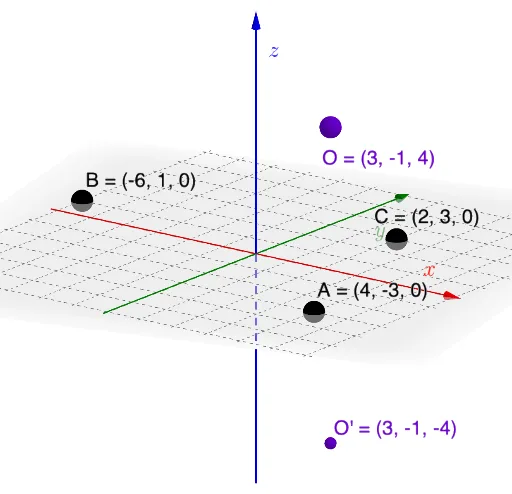
This example demonstrates reflection transformation about the line y=x. Key mathematical concepts include reflection and coordinate geometry. Using GeoGebra commands such as Mirror, Line, and Intersect, the process of reflection is visually illustrated. Suitable for students at the junior high school level and above for learning geometric transformations.
GeoGebra Commands & Parameters
Plane(A, B, C) → pMirror(O, p) → O'Line(O, O') → fIntersect(p, f) → DOrthogonalLine(D, Vector[D, O], Vector[D, B]) → jPlane(f, j) → qDilate(O, If[0 < SlideMe ≤ 1, 1 - SlideMe, 0], D) → O'_{1}Segment(O, O'_{1}) → gDilate(D, If[1 < SlideMe ≤ 2, 2 - SlideMe, 0], O') → D'Segment(D, D') → hOrthogonalLine(D, Vector[O, O'], xOyPlane) → iPoint(i) → ERotate(O, If[2 < SlideMe ≤ 3, ((SlideMe - 2) * π), π], D, q) → O'_{2}Rotate(O'_{1}, If[2 < SlideMe ≤ 3, ((SlideMe - 2) * π), π], D, q) → FSegment(O'_{2}, F) → g'Point(j) → GAngle(G, D, O) → α
AI Drawing Prompt Reference
Create a geometric demonstration of reflection transformation about the line y equals x in three-dimensional space. Start by defining a plane and selecting an original point on it. Reflect this point across the given plane to obtain its image point, then draw the line segment connecting the original point and its reflection. Find the intersection point of this line with the reflection plane, and through this intersection draw two perpendicular lines perpendicular to the vectors from the intersection to the original point and to another reference point respectively, defining a new plane. Implement a slider to control an animation sequence where the original point undergoes dilation along the connecting line, followed by a second dilation of the reflection point, then the entire configuration rotates around the intersection point within the new plane. Select points on the relevant perpendicular lines and display angle measurements. The dynamic demonstration illustrates the geometric relationships and transformation rules during the reflection process.
The prompt above was compiled from the original drawing commands and is for reference only.