
Rectangular Pyramid by GeoGebra Materials Team
Loading the math board and drawing, please wait…
In collections
Area, Surface Area, Volume--Nets
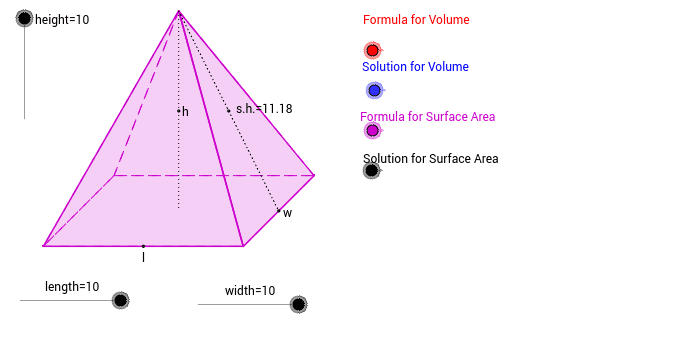
This example demonstrates the construction of a rectangular pyramid. Key mathematical concepts include the definition of a pyramid in solid geometry, geometric construction, and transformations. Using GeoGebra commands such as Dilate, Vector, and Polygon, the height, base length, and width of the pyramid can be dynamically displayed. Suitable for students at the junior high school level and above.
GeoGebra Commands & Parameters
Dilate(F, height, E) → GVector(E, G) → uDilate(I, length, H) → LVector(H, L) → vCircle(J, width) → gLine(J, K) → hIntersect(g, h, 1) → MVector(J, M) → wTranslate(A, v) → BTranslate(A, Vector[w / 2]) → CTranslate(C, v) → DMidpoint(C, B) → NTranslate(N, u) → OPolygon(A, B, D, C) → P, a, b, d, cPolygon(O, C, D) → Q, d_1, o, c_1Polygon(O, A, C) → R, c_2, o_1, a_1Polygon(O, D, B) → S, b_1, o_2, d_2Polygon(O, A, B) → T, b_2, o_3, a_2Midpoint(B, D) → USegment(O, N) → eSegment(O, U) → fMidpoint(O, U) → WMidpoint(O, N) → VMidpoint(A, B) → YIf(height ≤ 5, C) → ZSegment(Z, O) → iSegment(Z, A) → jIf(VolumeFormula ≟ 1, A_1) → E_1If(SurfaceAreaFormula ≟ 1, C_1) → G_1If(VolumeSolution ≟ 1, B_1) → F_1If(SurfaceAreaSolution ≟ 1, D_1) → H_1