
Rectangular Prism Volume Practice
Loading the math board and drawing, please wait…
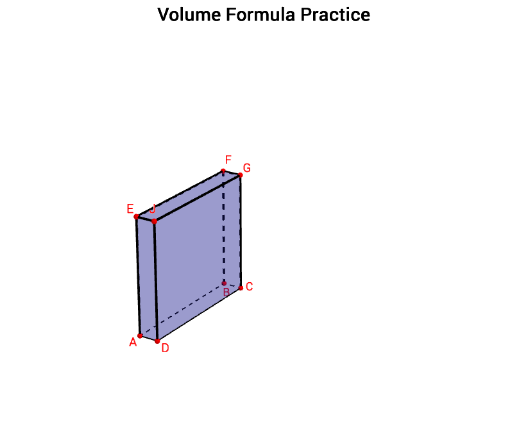
This example demonstrates the calculation of the volume of a rectangular prism. Key mathematical concepts include the volume calculation in solid geometry. Using GeoGebra commands such as Intersect, Random, Circle, etc., a rectangular prism can be constructed and its volume calculated. Suitable for middle school and above students for geometric construction and volume calculation practice.
GeoGebra Commands & Parameters
Intersect(zAxis, xAxis) → ARandom(1, 11) → A2Random(1, 11) → B2Random(1, 11) → C2Random(1, 4) → aCircle(A, A2, zAxis) → cCircle(A, B2, zAxis) → dCircle(A, C2, yAxis) → eIntersect(yAxis, c) → B, C_1Intersect(xAxis, d) → D, E_1Intersect(zAxis, e) → E, G_1Plane(A, E, B) → bOrthogonalLine(B, b) → fOrthogonalLine(A, b) → gPlane(A, D, E) → h_2OrthogonalLine(D, h_2) → iIntersect(i, f) → CPolygon(A, B, C, D) → poly1, a_1, b_1, h_1, d_1Prism(poly1, (-C2)) → j, I_1, edgeAI, edgeBJ, edgeHK, edgeDL, edgeIJ, edgeJK, edgeKL, edgeIL, F, G, J, faceABJI, faceBHKJ, faceDHKL, faceADLI, faceIJKLCircle(A, h, yAxis) → kCircle(A, l, xAxis) → pCircle(A, w, zAxis) → qIntersect(xAxis, q) → M, NIntersect(yAxis, p) → O, PIntersect(zAxis, k) → Q, RSegment(A, O) → l_1Segment(Q, A) → mSegment(A, M) → nLine(M, l_1) → rLine(O, n) → sIntersect(s, r) → SPolygon(A, O, S, M) → poly2, a_2, o, s_1, m_1Sequence(Segment[A + (i * (1, 0, 0)), O + (i * (1, 0, 0))], i, 1, w - 1) → list1Sequence(Segment[A + (i * (0, 1, 0)), M + (i * (0, 1, 0))], i, 1, l - 1) → list2Sequence(Segment[A + (i * (0, 0, 1)), M + (i * (0, 0, 1))], i, 1, h - 1) → list3Sequence(Segment[A + (i * (0, 0, 1)), O + (i * (0, 0, 1))], i, 1, h - 1) → list4Sequence(Segment[M + (i * (0, 0, 1)), S + (i * (0, 0, 1))], i, 1, h - 1) → list5Sequence(Segment[O + (i * (0, 0, 1)), S + (i * (0, 0, 1))], i, 1, h - 1) → list6Line(Q, a_2) → tLine(Q, m_1) → f_1Line(M, m) → g_1Line(O, m) → i_1Intersect(t, i_1) → TIntersect(g_1, f_1) → ULine(U, t) → j_1Line(T, f_1) → k_1Intersect(j_1, k_1) → VPolygon(Q, T, V, U) → poly3, q_1, t_1, v, uSequence(Segment[Q + (i * (1, 0, 0)), T + (i * (1, 0, 0))], i, 1, w - 1) → list7Sequence(Segment[Q + (i * (0, 1, 0)), U + (i * (0, 1, 0))], i, 1, l - 1) → list8Sequence(Segment[A + (i * (0, 0, 1)), O + (i * (0, 0, 1))], i, 1, h - 1) → list9Sequence(Segment[A + (i * (0, 1, 0)), Q + (i * (0, 1, 0))], i, 1, l - 1) → list10Sequence(Segment[M + (i * (0, 1, 0)), U + (i * (0, 1, 0))], i, 1, l - 1) → list13Sequence(Segment[A + (i * (1, 0, 0)), Q + (i * (1, 0, 0))], i, 1, w - 1) → list11Sequence(Segment[O + (i * (1, 0, 0)), T + (i * (1, 0, 0))], i, 1, w - 1) → list12Polygon(T, O, A, Q) → poly4, t_2, o_1, a_3, q_2Polygon(T, V, S, O) → poly5, t_3, v_1, s_2, o_2Polygon(Q, U, M, A) → poly6, q_3, u_1, m_2, a_4Polygon(U, V, S, M) → poly7, u_2, v_2, s_3, m_3Textfield(w_1) → InputBox1
AI Drawing Prompt Reference
Draw a rectangular prism with randomly generated base circle radii and positions, determine the vertices of the prism through the intersections of axes and circles, then draw the faces of the prism and fill the interior with lines to demonstrate the volume calculation process.
The prompt above was compiled from the original drawing commands and is for reference only.