
Rectangular Prism: Structure Exploration
Loading the math board and drawing, please wait…
In collections
Surface Area
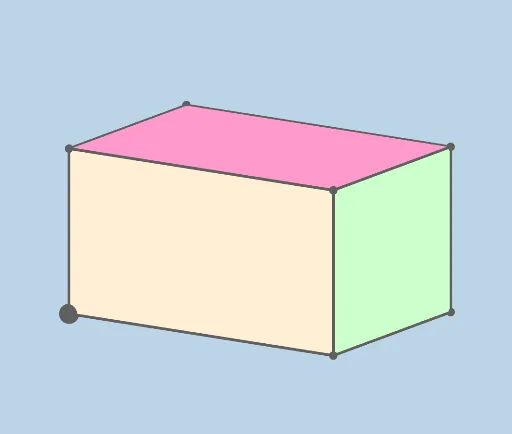
This example demonstrates the structure of a rectangular prism, involving key concepts such as edges, faces, and angles. Using GeoGebra commands like Prism, faceABCD, etc., it dynamically shows the various faces and edges of the rectangular prism. Suitable for middle school and above students learning solid geometry.
GeoGebra Commands & Parameters
Prism(A, B, C, D, E) → d, F, edgeAB, edgeBC, edgeCD, edgeAD, edgeAE, edgeBF, edgeCG, edgeDH, edgeEF, edgeFG, G, edgeGH, edgeEH, H, faceABCD, faceABFE, faceBCGF, faceCDHG, faceADHE, faceEFGH
AI Drawing Prompt Reference
Draw a rectangular prism with 6 faces (like ABCD, ABFE), 12 edges (like AB, BC), and 8 vertices (like A, B). First create four vertices A, B, C, D, then use these vertices to create the prism, and finally show each face and edge.
The prompt above was compiled from the original drawing commands and is for reference only.