
Rectangle with Given Sum of Sides and Diagonal Angle
Loading the math board and drawing, please wait…
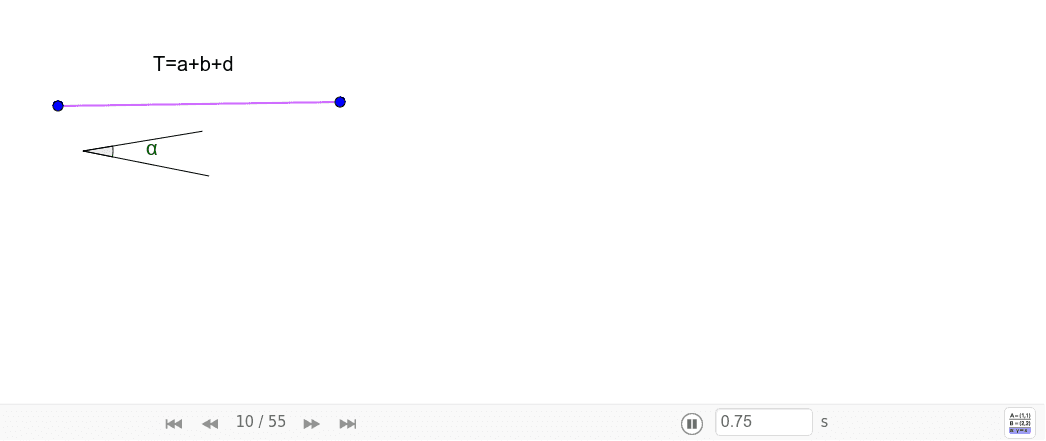
This example demonstrates constructing a rectangle with a given sum of side lengths a+b+d and a specified angle between a side and the diagonal. Key mathematical concepts include geometric construction, angles, and vectors. Using GeoGebra commands such as Segment, Angle, Ray, Point, Rotate, Circle, Intersect, etc., the shape and size of the rectangle can be dynamically adjusted. Suitable for middle school and above students to learn geometric construction and angle relationships.
GeoGebra Commands & Parameters
Segment(F, G) → TSegment(N, O) → gSegment(N, P) → g_1Angle(P, N, O) → αRay(A, B) → iPoint(i) → A_1Rotate(A_1, α, A) → B'Angle(B, A, B') → γRay(A, B') → hCircle(B', A) → cIntersect(c, h, 2) → DOrthogonalLine(D, i) → jIntersect(j, i) → ESegment(D, E) → nSegment(A, E) → kSegment(A, D) → pPolygon(D, A, E) → poly1, e_1, d_1, aLine(E, B') → h_1Intersect(c, h_1, 2) → CPolygon(D, C, A, E) → poly3, d_2, c_1, a_2, e_2Angle(D, E, A) → βCircle(D, E) → dIntersect(d, h, 2) → HSegment(D, H) → lCircle(H, k) → eIntersect(e, h, 2) → ISegment(H, I) → mCircle(A, T) → rIntersect(r, p, 1) → ZIntersect(h, p) → QIntersect(h, p) → RSegment(I, E) → i_1Intersect(h, p) → SIntersect(h, p) → UIntersect(h, p) → VIntersect(h, p) → WIntersect(r, h) → J,Segment(J, A) → fSegment(I, E) → qLine(J, q) → sIntersect(s, i) → KOrthogonalLine(K, k) → tIntersect(t, h) → LLine(L, k) → bOrthogonalLine(A, b) → f_1Intersect(f_1, b) → MPolygon(L, M, A, K) → poly2, l_1, m_1, a_1, k_1
AI Drawing Prompt Reference
Draw a rectangle with a given sum of side lengths a+b+d and a specified angle α between a side and the diagonal. Start by drawing segments FG and NO, then construct angle α, use rotation and intersection to find the vertices D and E, draw segments DE and AE, and finally connect the vertices to form the rectangle DEA. Adjust the angle and segment lengths to meet the given conditions.
The prompt above was compiled from the original drawing commands and is for reference only.