
Rectangle with given perimeter and diagonal by Marina Sinitsky
Loading the math board and drawing, please wait…
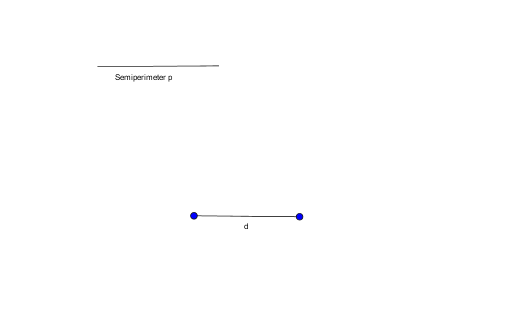
This example demonstrates how to construct a rectangle with a given perimeter and diagonal. It involves core math concepts like perimeter, rectangle, quadratic equations, geometric transformations, isosceles triangles, and geometry. Construction highlights include using GeoGebra commands Segment, LineBisector, Intersect, Circle, Point, Line, Angle. Suitable for high school mathematics teaching and geometric construction practice.
GeoGebra Commands & Parameters
Segment(A, B) → dSegment(D, E) → h_1LineBisector(A, B) → gIntersect(g, d) → CCircle(C, A) → cCircle(A, h_1) → d_1Point(c) → FLine(A, F) → iSegment(F, B) → jCircle(F, B) → eIntersect(e, i, 2) → GSegment(B, G) → lAngle(F, G, B) → αCircle(A, h_1) → k
AI Drawing Prompt Reference
Draw a horizontal segment as the rectangle's diagonal, and a shorter segment representing half the perimeter. Find the midpoint of the diagonal and draw a circle centered there passing through the diagonal's endpoints. From one endpoint of the diagonal, draw a circle with radius equal to the shorter segment; its intersection with the first circle gives a point. Connect this point to both diagonal endpoints to form a triangle. Then, using this point as center, draw a circle with radius equal to the diagonal length; it intersects the line from the point to the other endpoint at a new point. Connect this new point to the opposite diagonal endpoint to form a side of the rectangle. Finally, mark an angle in the triangle and repeat the circle centered at the diagonal endpoint with the shorter segment's radius.
The prompt above was compiled from the original drawing commands and is for reference only.