
Rectangle Template with Investigation Questions: Dynamic Quadrilateral
Loading the math board and drawing, please wait…
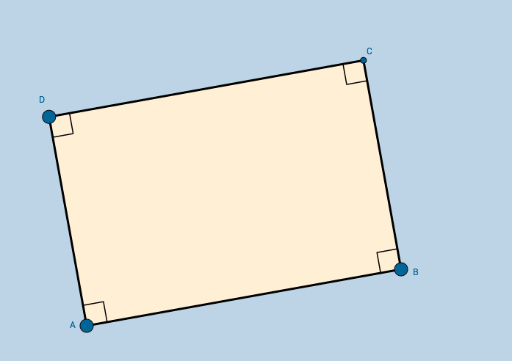
This applet demonstrates a modifiable quadrilateral that remains a rectangle. It covers core concepts like rectangle properties, angles, and symmetry. Construction uses GeoGebra commands including Segment, OrthogonalLine, Point, Intersect, Angle, and Polygon. Suitable for students to explore geometric constraints and properties dynamically.
GeoGebra Commands & Parameters
Segment(A, B) → aOrthogonalLine(A, a) → bOrthogonalLine(B, a) → cPoint(b) → DOrthogonalLine(D, b) → dIntersect(c, d) → CSegment(D, A) → eSegment(D, C) → fSegment(C, B) → gAngle(C, B, A) → αAngle(B, A, D) → βAngle(A, D, C) → γAngle(D, C, B) → δPolygon(A, B, C, D) → poly1, a_1, b_1, c_1, d_1
AI Drawing Prompt Reference
Draw a dynamic rectangle with four vertices. Start with a horizontal base segment, then construct perpendicular lines upward from both endpoints. Pick a point on the left perpendicular as the top-left vertex, and draw a horizontal line through it to intersect the right perpendicular, giving the top-right vertex. Connect all four vertices to form the rectangle, and label all four interior angles as right angles. The rectangle should be adjustable while maintaining its rectangular shape, suitable for exploring properties, angles, and symmetry.
The prompt above was compiled from the original drawing commands and is for reference only.