
Rectangle Perimeter: Solving Linear Equations
Loading the math board and drawing, please wait…
In collections
A1.ACE.1 - Create and solve equations and inequalities
Solving Linear Equations: Application Problems
Application Problem Generators
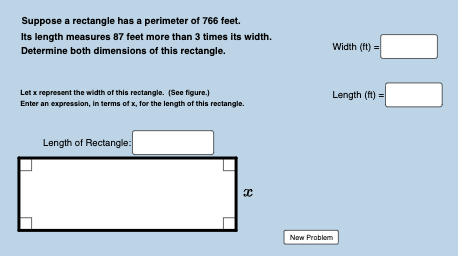
① This example demonstrates how to generate random application problems about the perimeter of a rectangle, converting real-world situations into linear equations and solving them dynamically with visual feedback. ② Core math concepts include linear equations, one-variable equation modeling, the rectangle perimeter formula (2×(length+width)), and verification of solutions. ③ Construction highlights: using GeoGebra's Random command to generate random length and width, drawing the rectangle with Polygon, Segment, Angle, and Distance commands, labeling sides, providing Textfield and InputBox for user input, a button1 to check answers, and variables like perminus/perplus to show perimeter errors with dynamic text updates. ④ Suitable for middle school algebra classes focusing on linear equation applications, and useful for teachers demonstrating equation modeling or students practicing problem-solving with geometric visualization.
GeoGebra Commands & Parameters
Random(30, 90) → wRandom(2, 10) → bRandom(1, ((b - 1) * w) - 5) → aRandom(0, 1) → nTextfield(c) → InputBox1Textfield(d) → InputBox2Polygon(A, B, D, C) → poly1, a_1, b_1, d_1, c_1Segment(A, B) → jSegment(B, D) → kSegment(D, C) → lSegment(C, A) → mAngle(D, B, A) → αAngle(B, A, C) → βAngle(A, C, D) → γAngle(C, D, B) → δDistance(A, B) → distanceABDistance(A, j) → distanceAjDistance(A, C) → distanceACTextfield(f_1) → InputBox3