
Rectangle of Constant Area
Loading the math board and drawing, please wait…
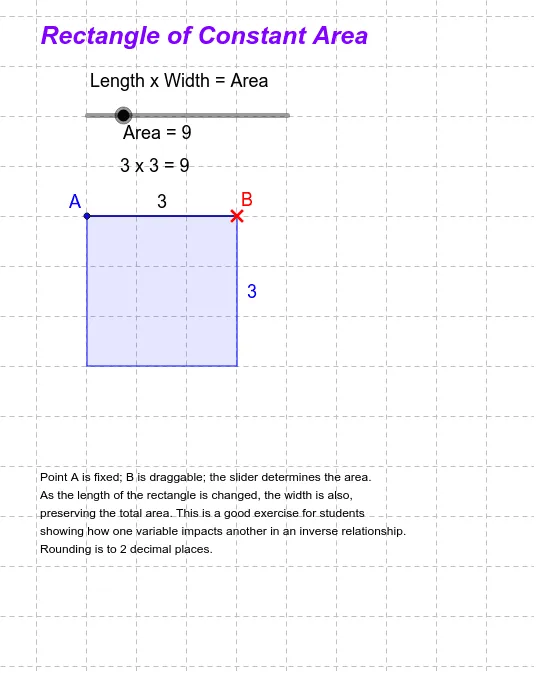
This example demonstrates a rectangle with a fixed vertex A and a draggable vertex B, where the area is dynamically adjusted using a slider. It involves core math concepts like the area formula of a rectangle, variable relationships, and geometric transformations. Constructed using commands such as Segment, OrthogonalLine, Circle, Intersect, and Polygon in GeoGebra. Suitable for middle school and above students to explore the dynamic changes in geometric area and variable relationships, integrating functions and geometry visually.
GeoGebra Commands & Parameters
Segment(A, B) → aOrthogonalLine(B, a) → bCircle(B, Area / a) → cIntersect(c, b, 1) → COrthogonalLine(A, a) → dOrthogonalLine(C, b) → eIntersect(d, e) → DPolygon(A, B, C, D) → poly1, a_1, b_1, c_1, d_1
AI Drawing Prompt Reference
Draw a rectangle with a fixed vertex A and a movable vertex B, keeping the area constant. Start by drawing segment AB, then draw a line b perpendicular to AB at point B. Draw a circle c with B as the center and a radius equal to the area divided by the length of AB. Find the intersection C of circle c and line b. Draw a line d perpendicular to AB at point A, and draw a line e perpendicular to b at point C. Find the intersection D of lines d and e. Finally, connect points A, B, C, and D to form the rectangle and display the area a_1, segment a, line b, circle c, and segment d.
The prompt above was compiled from the original drawing commands and is for reference only.