
Rectangle Construction Exercise: Updated
Loading the math board and drawing, please wait…
In collections
Congruence (CO) Cluster
Constructions (Compass & Straightedge)
Constructions (Compass & Straightedge)
Constructions (Compass & Straightedge)
Constructions (Compass & Straightedge)
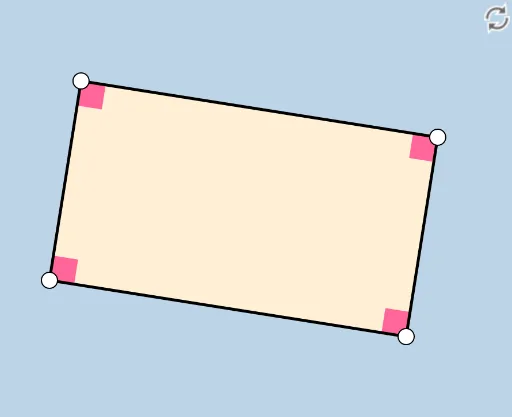
This GeoGebra construction exercise demonstrates how to construct a rectangle using various GeoGebra commands. Key mathematical concepts include geometric construction and properties of rectangles. Using commands such as Line, OrthogonalLine, Point, Intersect, and Polygon, students can learn to accurately construct rectangles. Suitable for middle school and above students for geometric construction practice.
GeoGebra Commands & Parameters
Line(A, B) → fOrthogonalLine(A, f) → gPoint(g) → DLine(D, f) → hLine(B, g) → iIntersect(h, i) → EPolygon(A, B, E, D) → poly1, a, b, e, dSegment(D, E) → jSegment(E, B) → kSegment(B, A) → lSegment(A, D) → mAngle(poly1) → α, β, γ, δ
AI Drawing Prompt Reference
Draw a rectangle by first creating a line segment AB, then drawing a line g perpendicular to AB through point A, followed by marking point D on line g, drawing a line h parallel to AB through point D, and a line i parallel to AD through point B. The intersection of lines i and h is point E. Finally, connect points A, B, E, and D to form the rectangle and label its four interior angles.
The prompt above was compiled from the original drawing commands and is for reference only.