
Rect-Tri-Areas: Comparing Rectangles and Triangles
Loading the math board and drawing, please wait…
In collections
RectTri Area vs. Perimeter Drafts
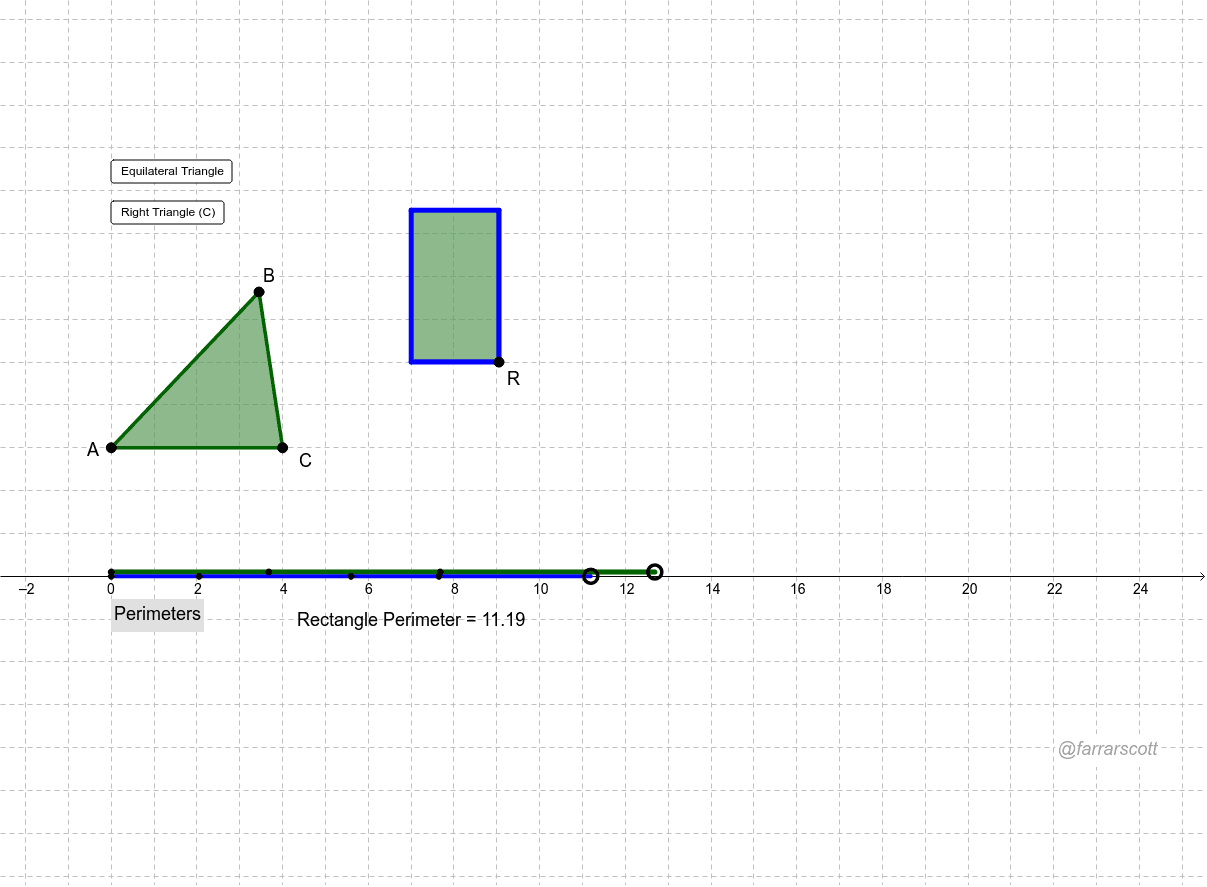
This example demonstrates the comparison of areas between rectangles and triangles, highlighting the intersection of geometry and probability. Key mathematical concepts include area formulas, geometric transformations, and probability inequalities. Construction involves using GeoGebra commands like Polygon, Circle, Distance, and Intersect to create shapes, along with Angle and Line for angle measurement. Suitable for middle school students learning geometry fundamentals and probability basics, useful for math teaching support and exploring the connection between geometry and probability.
GeoGebra Commands & Parameters
Polygon(A, B, C) → poly1, c, a, bCircle(D, Area[poly1]) → dPoint(d) → ERay(D, E) → ePoint(e) → ROrthogonalLine(R, e) → fDistance(D, R) → wCircle(R, h) → kIntersect(k, f, 2) → GOrthogonalLine(G, f) → gOrthogonalLine(D, g) → iIntersect(g, i) → HPolygon(D, R, G, H) → poly2, d_1, f_1, g_1, h_1Point(yAxis) → FPoint(yAxis) → IPoint(Circle[I, a]) → JSegment(I, J) → jPoint(Circle[J, b]) → KSegment(J, K) → lPoint(Circle[K, c]) → LSegment(K, L) → mPoint(Circle[F, d_1]) → MSegment(F, M) → nPoint(Circle[M, f_1]) → NSegment(M, N) → pPoint(Circle[N, g_1]) → OSegment(N, O) → qPoint(Circle[O, h_1]) → PSegment(O, P) → rCircle(A, b) → sCircle(C, b) → tIntersect(s, t, 1) → QIntersect(s, t, 2) → SOrthogonalLine(C, b) → a_1Circle(C, b) → c_1Intersect(c_1, a_1, 2) → TIntersect(c_1, a_1, 1) → UAngle(A, C, B) → αOrthogonalLine(B, a_1) → b_1Intersect(a_1, b_1) → projBLine(Q, S) → e_1Intersect(b_1, e_1) → VCircle(A, sqrt((Area[poly1] * 4 / sqrt(3)))) → k_1
AI Drawing Prompt Reference
Draw a rectangle and a triangle to compare their areas. Start by creating a rectangle with three points, then draw a circle with the rectangle's area centered at the intersection of its diagonals. Draw a ray from the center intersecting the circle, then a perpendicular line from the intersection point. Form a new quadrilateral using the center, the intersection point, and the intersections of the perpendicular line with the rectangle. Next, draw a circle through the rectangle's vertices intersecting the ray at two points. From these points, draw perpendicular lines intersecting each other at two points, and draw two more perpendicular lines intersecting these intersections. Finally, draw two circles with the rectangle's side lengths as radii, connect their intersections, and draw a circle through the rectangle's vertices with a radius equal to the square root of four times the rectangle's area divided by the square root of three.
The prompt above was compiled from the original drawing commands and is for reference only.