
Real Number Subtraction Demo
Loading the math board and drawing, please wait…
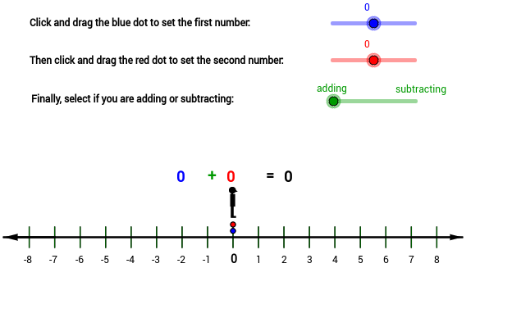
This example demonstrates the geometric interpretation of subtracting real numbers by transforming it into a vector operation. It involves core math concepts like real number operations, vectors, coordinate geometry, and limits. Constructed using GeoGebra commands like Sequence, Segment, Midpoint, and Vector, it is suitable for high school mathematics education to visualize real number subtraction and vector applications.
GeoGebra Commands & Parameters
Sequence((i, (-0.4)), i, -8, 8) → DSequence((i, 0.4), i, -8, 8) → CSegment(A, B) → aMidpoint(E, F) → IMidpoint(G, H) → JSequence(Segment[Element[C, i], Element[D, i]], i, 1, 17) → bSequence(Segment[Element[C, i], Element[D, i]], i, 1, 17) → Sequence[Segment[Element[C, i], Element[D, i]], i, 1, 13]Vector((-7, 0), A) → uVector((7, 0), B) → vSegment(M, K) → hSegment(N, L) → f
AI Drawing Prompt Reference
Draw two parallel lines with evenly spaced points on each. Connect corresponding points to form a series of parallel line segments. Then, draw two rays starting from a point, connecting the ends of these segments. Finally, use dashed lines to connect the midpoints of the segments, illustrating the geometric interpretation of vector operations and real number subtraction.
The prompt above was compiled from the original drawing commands and is for reference only.