
Ratios of Areas of Hexagons
Loading the math board and drawing, please wait…
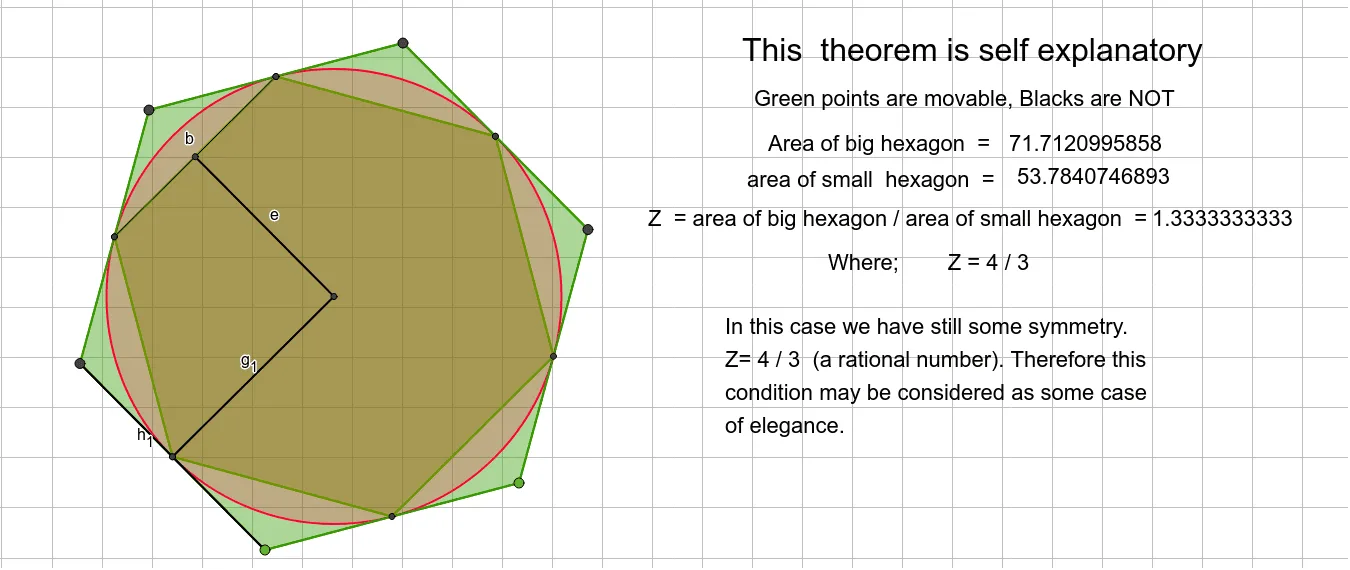
This example demonstrates the ratio of areas of hexagons. Key mathematical concepts include geometric transformations, trigonometric functions, and geometric means. Using GeoGebra commands such as Polygon, LineBisector, and Intersect, hexagons are constructed and their area ratios are calculated. Suitable for high school geometry and trigonometry courses.
GeoGebra Commands & Parameters
Polygon(A, B, 6) → poly1, f, F, g, h, i, j, k, C, D, ELineBisector(F, E) → lLineBisector(E, D) → mLineBisector(D, C) → nIntersect(l, j) → GIntersect(m, i) → HIntersect(n, h) → IIntersect(l, g) → JIntersect(m, f) → KIntersect(n, k) → LIntersect(l, m) → MIntersect(m, i) → NCircle(M, I) → cPolygon(K, J, 6) → poly2, p, R, q, r, s, t, a, O, P, QSegment(G, N) → bLine(E, M) → dIntersect(d, s) → SSegment(M, S) → eOrthogonalLine(M, k) → f_1Segment(M, L) → g_1Segment(F, A) → h_1
AI Drawing Prompt Reference
Draw a regular hexagon first, then construct another regular hexagon inside it with a side length ratio of 1:2. Start by creating a regular hexagon with points A and B, then use the perpendicular bisectors of lines FE, ED, and DC to find points G, H, I, J, K, L, M, and N. Draw a circle with center M and radius MI, and then construct another regular hexagon KJL. Finally, connect the relevant points and lines to form two regular hexagons with the desired ratio.
The prompt above was compiled from the original drawing commands and is for reference only.