
Rational Numbers Demo
Loading the math board and drawing, please wait…
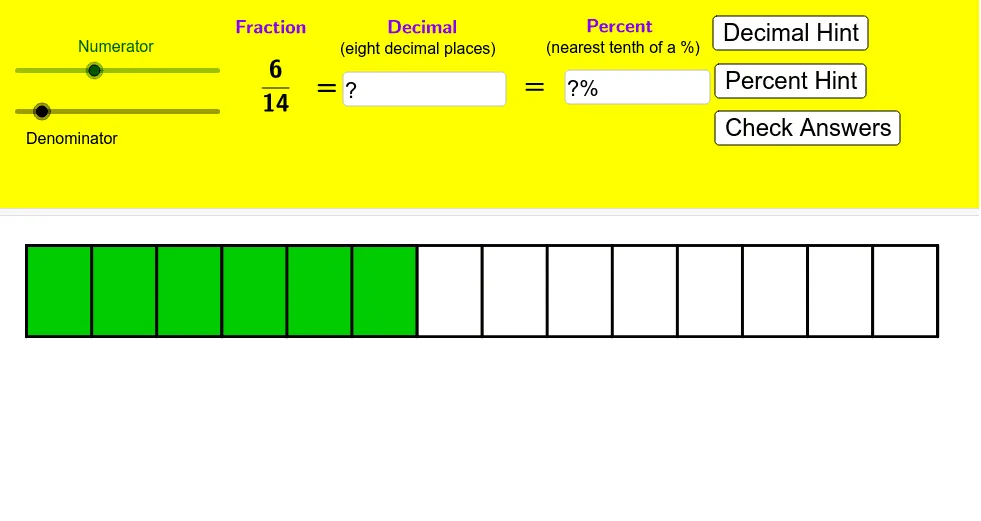
This example demonstrates rational numbers and their operations interactively; involves core math concepts like rational numbers, subtraction, vectors, trigonometric functions, arithmetic, and calculus; constructed using GeoGebra commands such as Intersect, Polygon, Sequence, Vector, Translate, If, Textfield; suitable for high school and above students to understand rational number properties and geometric applications.
GeoGebra Commands & Parameters
Intersect(xAxis, yAxis) → APolygon(B, A, C, D) → poly1, b, a, c, dSequence((x(A) + (i * a / e), y(A)), i, 0, e) → list1Sequence((x(B) + (i * a / e), y(B)), i, 0, e) → list2Sequence(Segment[Element[list2, i], Element[list1, i]], i, 1, e + 1) → list3Polygon(A, B, Element[list2, f + 1], Element[list1, f + 1]) → poly2, a_1, b_1, g, hVector(A, E) → uTranslate(poly2, Vector[(u * l)]) → poly2'Translate(B, Vector[(u * l)]) → B'Translate(A, Vector[(u * l)]) → A'Translate(C, Vector[(u * l)]) → C'Translate(D, Vector[(u * l)]) → D'Polygon(B', A', C', D') → poly1', b', a', c', d'Sequence((x(A') + (i * a / 100), y(A')), i, 1, 100) → list4Sequence((x(B') + (i * a / 100), y(B')), i, 1, 100) → list5Sequence(Segment[Element[list5, i], Element[list4, i]], i, 1, 100 + 1) → list6Sequence(Segment[Element[list5, (i * 10)], Element[list4, (i * 10)]], i, 1, 100 + 1) → list7Sequence(Text[((n - 1) * 100 / 10) + "%", A' + (((n - 1) * a / 10) - 0.2, -0.4)], n, 1, 10 + 1) → list8If(j ≟ 0 ∨ l ≟ 1, false, true) → kTextfield(n) → InputBox1Textfield(text9) → InputBox2Text(p + "%") → text10Sequence((x(A) + (i * a / 100), y(A)), i, 1, 100) → list9Sequence(Element[list9, (i * 5)], i, 1, 100) → list10Sequence(Text[n / 20, A + ((n * a / 20) - 0.27, -0.4)], n, 1, 19) → list11
AI Drawing Prompt Reference
Draw a coordinate system with origin O, and plot four points A, B, C, and D. Then, draw a quadrilateral ABCD. Next, draw a vector u starting from A and ending at B. Translate the quadrilateral ABCD and points A, B, C, and D along vector u to form a new quadrilateral A'B'C'D'. After that, draw 100 equal points on A'B' and connect them with line segments. Finally, label the percentage position of each point.
The prompt above was compiled from the original drawing commands and is for reference only.