
Randomized geometric construction via rotation: a “yellow submarine” style diagr
Loading the math board and drawing, please wait…
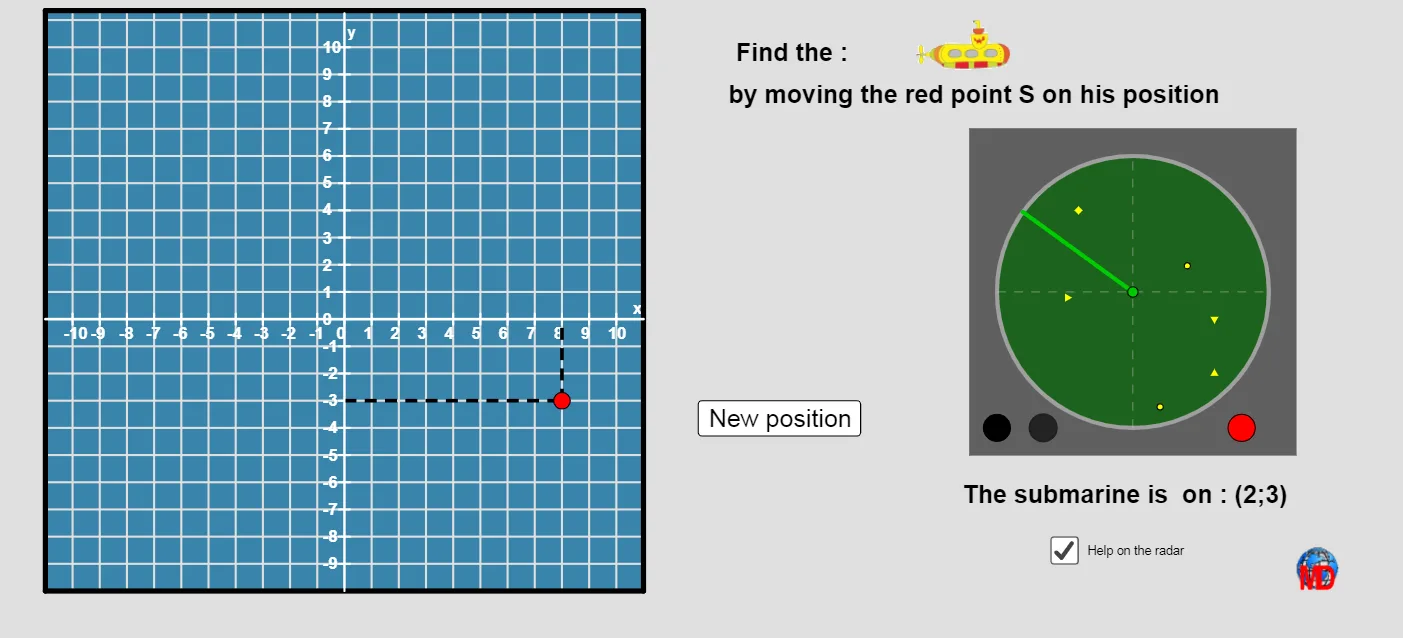
This GeoGebra example demonstrates how to build a complex plane figure by composing geometric primitives—circles, segments, and polygons—then applying rotation-based transformations. The “yellow submarine” theme is used to make the assembly process intuitive while showcasing mathematical mechanisms behind the artwork. Key math concepts include coordinate geometry and geometric construction (points, orthogonal lines, intersections, circles, segments, polygons) as well as rigid motions (Rotate) to generate repeated or rotated parts. It also introduces a stochastic/algorithmic flavor through Random, together with conditional logic (If) and modular arithmetic (Mod) to control how parameters evolve. From the construction summary, it uses commands such as OrthogonalLine to create perpendicular lines, Intersect to compute intersection points, Segment/Circle/Polygon to form the main shapes, Point and Sequence to organize key coordinates and parameter lists, and Rotate to position components consistently. Interface-oriented objects (text labels and interactive elements like Bouton1, plus image/icon placeholders) support an engaging classroom or creative-coding workflow. Suitable for secondary school geometry lessons, GeoGebra construction practice, and introductory algorithmic visualization projects.
GeoGebra Commands & Parameters
OrthogonalLine(A, yAxis) → aOrthogonalLine(A, xAxis) → hIntersect(yAxis, a) → BIntersect(h, xAxis) → CSegment(B, A) → iSegment(A, C) → jOrthogonalLine(A, yAxis) → lCircle(A, 1.5) → kIntersect(a, i) → DIntersect(k, a) → E, FPolygon(G, H, I, J) → poly1, g_1, h_1, i_1, j_1Point(h_1) → LSequence(Segment[G + (i, 0), J + (i, 0)], i, 0, 21) → liste2Sequence(Segment[J + (0, i), I + (0, i)], i, 0, 21) → liste1Segment((-11, 0), (11, 0)) → mSegment((0, -10), (0, 11.25)) → nSequence((-11, 0) + (i, 0), i, 1, 21, 1) → liste3Sequence((0, -10) + (0, i), i, 1, 20) → liste4Sequence(Text[-10 + i, Element[liste3, i + 1] - (0.32, 0.75)], i, 0, 20) → liste5Sequence(Text[-9 + i, Element[liste4, i + 1] - (0.82, 0.2)], i, 0, 20) → liste6Sequence(Segment[Element[liste3, i] + (0, 0.2), Element[liste3, i] - (0, 0.2)], i, 1, Length[liste3]) → liste7Sequence(Segment[Element[liste4, i] + (0.2, 0), Element[liste4, i] - (0.2, 0)], i, 1, Length[liste4]) → liste8Polygon(M + (-6, -6), M + (6, -6), M + (6, 6), M + (-6, 6)) → poly2, p, q, s, a_1Circle(M, 5) → c_1Rotate(P, o, M) → P'Segment(M, P') → b_1Random(1, 4) → aaIf(aa ≤ 2, 1, -1) → signe1Random(1, 4) → bbIf(bb ≤ 2, -1, 1) → signe2Circle(M, 5) → d_1Segment(M - (5, 0), M + (5, 0)) → e_1Segment(M - (0, 5), M + (0, 5)) → f_1Random(0, 360) → ccCircle(W, 0.5) → k_1Circle(W, 0.5) → p_1Circle(Z, 0.5) → q_1Circle(A_1, 0.5) → r_1Mod(round(o), 2) → tt
AI Drawing Prompt Reference
Draw a yellow submarine-style geometric figure by first creating vertical and horizontal lines on the coordinate axes, then finding their intersections to construct a quadrilateral. Rotate this quadrilateral around a central point using random numbers to control the rotation angle, generating a series of repeated rotated shapes. Finally, add some auxiliary lines and text labels to complete the figure.
The prompt above was compiled from the original drawing commands and is for reference only.