
Random Visual Subtraction Up to 5
Loading the math board and drawing, please wait…
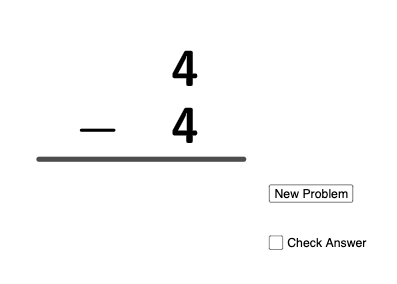
This example demonstrates how subtraction up to 5 is formed by randomly generating quantities and visually presenting the relation “minuend − subtrahend = difference”. Students can directly connect each drawn/represented quantity to the corresponding subtraction equation and its computed result. The key math concepts are integer subtraction, the roles of minuend and subtrahend, and forming the difference (diff). From the provided GeoGebra construction summary, the model is built using the commands Random and Segment, together with objects such as a and b (the participating quantities), sum and diff (computed results), f (a function-like container or mapping for the displayed outcome), c and d (supporting points/placements), button1 (an interactive control to trigger updates), and multiple text objects (text1–text6, text2/text4/text5/text6) to display the arithmetic expressions and values. Suitable for primary to early middle school instruction, interactive drills, and beginner-level math learning that benefits from immediate visual feedback and randomized practice.
GeoGebra Commands & Parameters
Random(1, 5) → aRandom(1, 5) → bSegment((0, 0), (8, 0)) → fRandom(0, 1) → c
AI Drawing Prompt Reference
Draw a horizontal number line segment. Randomly generate two quantities, one as the minuend and one as the subtrahend, each between 1 and 5. Visually distinguish them with different colors or markers. Below the line, display the subtraction equation in the form 'minuend − subtrahend = difference', and show the computed difference. Include a button that, when clicked, regenerates new random quantities and updates the equation and result. The layout should be clear and suitable for young learners practicing subtraction within 5.
The prompt above was compiled from the original drawing commands and is for reference only.