
Random Trapezium / Parallelogram / Triangle / Circle
Loading the math board and drawing, please wait…
In collections
Randomised Questions
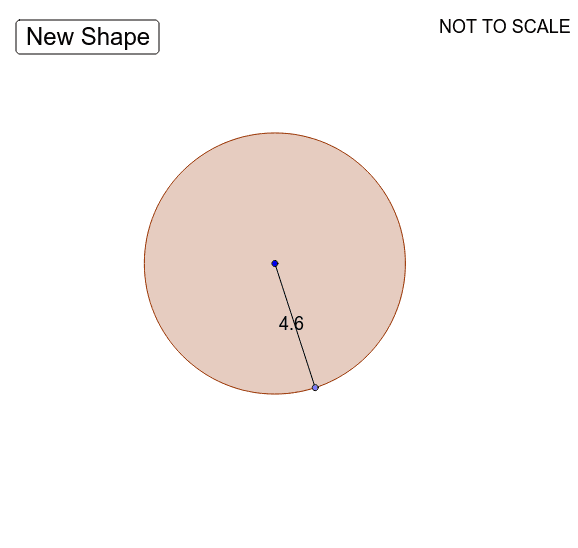
This example demonstrates random generation of trapeziums, parallelograms, triangles, and circles. Key mathematical concepts include polygons, circles, angles, vectors, and transformations. Using GeoGebra commands such as Rotate, Segment, Vector, Point, Random, and Polygon, dynamic constructions of these shapes are possible. Suitable for middle school and above students and teachers for teaching geometric construction and probability statistics.
GeoGebra Commands & Parameters
Rotate(B, α, A) → B'Rotate(C, α, A) → C'Rotate(D, α, A) → D'Rotate(E, α, A) → E'Segment(C', D') → cSegment(B', E') → dVector(B', C') → uVector(C', B') → vPoint(Segment[G, K], random()) → JRandom(1, 4) → typeSegment(J, L) → ePolygon(L, H, J) → poly1, j, l, hPolygon(H, J, L, I) → poly2, h_1, j_1, l_1, iPolygon(J, M, I, H) → poly3, j_2, m, i_1, h_2Segment(M, I) → fSegment(J, H) → gSegment(I, H) → kSegment(M, J) → nSegment(I, H) → pSegment(L, J) → qSegment(L, I) → r_1Segment(J, H) → sSegment(L, H) → tSegment(H, J) → a_1Segment(J, L) → b_1Text(Distance[B', C'] - 0.08 + "", Midpoint[B', C']) → text1Circle(A, 2 + (random() * 3)) → c_1Rotate(A + (Radius[c_1], 0), Random[0, 359]°, A) → OSegment(A, O) → r
AI Drawing Prompt Reference
Create a dynamic geometry figure with a polygon that is rotated to form a new shape, with corresponding vertices connected by segments and vectors. Place a random point inside the figure and use it with polygon vertices to construct several triangles and quadrilaterals, connecting them with segments to show internal structure. Additionally, draw a circle with a random radius, pick a random point on it, and draw a radius from the center to that point. The overall figure includes polygons, a circle, segments, and vectors, demonstrating random generation and geometric transformations.
The prompt above was compiled from the original drawing commands and is for reference only.