
Radian Measure Demo
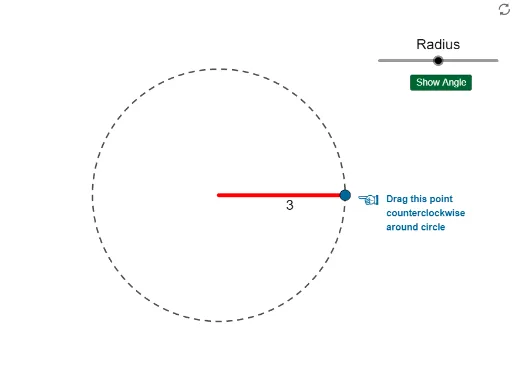
Loading the math board and drawing, please wait…
This example demonstrates how to construct and measure angles in radian measure using GeoGebra. It involves core math concepts like angles, circles, and vectors. Key GeoGebra commands/objects used include Intersect, Circle, Point, CircleArc, Segment, Angle, and Line. Suitable for high school mathematics teaching to understand and apply radian measure.
GeoGebra Commands & Parameters
Intersect(xAxis, yAxis) → ACircle(A, a) → cIntersect(c, xAxis, 2) → BPoint(c) → CCircleArc(A, B, C) → dSegment(D, B) → fSegment(A, B) → gSegment(A, C) → hAngle(B, A, C) → αIntersect(g, h) → KCircle(K, a + 0.2) → eCircleArc(A, E, C) → kSegment(N, B) → iCircleArc(A, F, C) → pSegment(O, B) → jCircleArc(A, G, C) → qSegment(P, B) → lCircleArc(Q, H, C) → rSegment(R, B) → mCircleArc(S, I, C) → sSegment(T, B) → nCircleArc(U, J, C) → tSegment(V, B) → bCircle(A, a + 0.2) → c_1Point(c_1) → WLine(A, C) → f_1Intersect(c_1, f_1, 2) → ZPoint(f_1) → A_1CircleArc(A_1, W, Z) → d_1
AI Drawing Prompt Reference
Draw coordinate axes, a circle at the origin, mark intersection as B, point on circle as C, draw arc connecting A, B, C, then segments connecting D to B, A to B, A to C, measure angle BAC, mark intersection as K, draw a slightly larger circle centered at K, draw arc connecting A, E, C, repeat drawing multiple arcs and segments, finally draw segment connecting W to B, draw a slightly larger circle, mark intersection as Z, draw segment connecting A to C, mark intersection as A1, draw arc connecting A1 to W, Z.
The prompt above was compiled from the original drawing commands and is for reference only.