
Quiz on Graphing Proportional Relationships with GeoGebra
Loading the math board and drawing, please wait…
In collections
Proportional Relationships
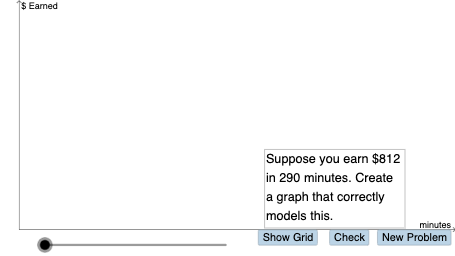
This GeoGebra example presents a quiz-style activity for exploring and graphing proportional relationships, highlighting how a proportional rule (e.g., y = kx) appears as a line in the coordinate plane. It focuses on core ideas such as ratios, linear functions, and linear equations, especially the geometric meaning of slope and how changing parameters affects the resulting graph. The construction uses GeoGebra commands and objects such as Random and PointIn to generate and locate adjustable points, Dilate and Vector to build similarity/scale transformations tied to the proportional factor, Segment to form the key connecting geometry, and If with Textfield to conditionally display values/labels during interaction. It outputs dynamically positioned geometric elements (points and derived objects) that support reading and drawing the proportional relationship graph. Suitable for middle to early high school learners studying algebra and functions, and for teachers using interactive graphing practice.
GeoGebra Commands & Parameters
PointIn(g_1) → DRandom(1, 15) → y_1Random(1, 15) → x_1Random(20, 75) → kDilate(B, If[0 < a ≤ 1, 1 - a, 0], A) → B'Vector(B, B') → uDilate(A, If[2 < a ≤ 3, 3 - a, 0], (0, y(D))) → A'Vector(A, A') → vDilate(A', If[3 < a ≤ 4, 4 - a, 0], D) → C'Dilate(D, If[5 < a ≤ 6, 6 - a, 0], (x(D), y(D) + y(A'))) → D'Vector(D, D') → cDilate(D', If[6 < a ≤ 7, 7 - a, 0], (x(D') + x(D), y(D'))) → E'Dilate(A, If[8 < a ≤ 9, 9 - a, 0], D) → A'_{1}Segment(A, A'_{1}) → gDilate(D, If[9 < a ≤ 10, 10 - a, 0], E) → D'_{1}Random(-10, 10) → b_1Random(-10, 10) → n_1Random(1, 10) → d_1If(s ≥ 0, "earn", "lose") → text7If(d > 1, "hours", "hour") → text8Textfield(p) → InputBox3Textfield(o) → InputBox1If(o ≟ n_1 / d_1, "Yes!", "no") → text9If(p ≟ q, "Yes!", "no") → text10Vector(A', C') → wVector(D', E') → eDilate(D, If[9 < a ≤ 10, 10 - a, 0], E') → D'_{2}Segment(D, D'_{2}) → h
AI Drawing Prompt Reference
On a coordinate plane, create a dynamic diagram exploring a proportional relationship. Randomly choose parameters to set a proportional factor, then place initial points that determine a line-like structure. Use scaling (dilation) of points so each point has a corresponding transformed point, and represent the transformation directions with vectors. Connect the key base point to its scaled counterpart with a segment, then scale and translate additional points along vector-defined directions to form further related segments that stay consistent with the proportional construction. Include interactive input boxes and conditional text such as “Yes!” or “no” to let the learner check the relationship while the geometry updates.
The prompt above was compiled from the original drawing commands and is for reference only.