
Quiz: Modeling Linear Growth with Slope and Difference
Loading the math board and drawing, please wait…
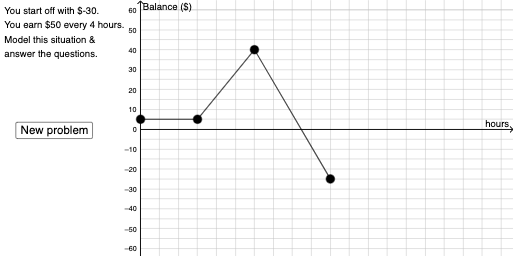
This GeoGebra example presents an interactive quiz where learners build a linear growth model visually and investigate how the line’s slope is determined by differences between values. It centers on linear functions and linear equations, the relationship between difference and slope, and the use of arithmetic mean ideas in interpreting data trends. Construction-wise, it uses Sequence to generate parameter/point sets, Random and RandomElement to vary the quiz scenario, and PointIn/Intersect/Segment/Polygon to form the required geometric configuration. Vector is used to represent direction and relate geometric differences to slope. Dilate and If control transformations and conditional updates of the model. Textfield and on-screen controls (buttons) provide input, dynamic labeling, and feedback for the learner. Suitable for middle and high school students learning function modeling, and for classroom practice or adaptive assessments.
GeoGebra Commands & Parameters
Sequence((5 * i), i, -12, -4, 1) → l2Sequence((5 * i), i, 4, 12, 1) → l1Union(l1, l2) → l3RandomElement(l3) → n_1RandomElement(Sequence[(5 * i), i, -8, 8, 1]) → cRandom(1, 5) → d_1PointIn(x > 1) → HPointIn(x > x(H) + 1) → ISegment(H, I) → lPointIn(x > x(I) + 1) → JSegment(I, J) → sSegment(A, H) → kDilate(B, If[0 < a ≤ 1, 1 - a, 0], A) → B'Vector(B, B') → uDilate(A, If[2 < a ≤ 3, 3 - a, 0], C) → A'If(n_1 ≥ 0, "earn", "lose") → text7If(d_1 > 1, "hours", "hour") → text8Random(-6, 6) → b_1Textfield(p) → InputBox3Textfield(o) → InputBox1If(o ≟ n_1 / d_1, "Yes!", "no") → text9If(p ≟ q, "Yes!", "no") → text10Intersect(eq1, g) → DPolygon(A, D, H) → t1, h, a_1, d_2Intersect(t, eq2) → EPolygon(A, H, E) → t2, e, a_2, h_1Intersect(eq3, f_1) → NPolygon(K, N, M) → t3, m_1, k_1, n_2Polygon(K, L, M) → t4, m_2, k_2, l_1Segment(D, H) → g_1Segment(D, A) → i_1Segment(A, E) → j_1Segment(E, H) → p_1
AI Drawing Prompt Reference
Draw a figure with two parallel line segments l1 and l2. Randomly select a point n_1 from l1 or l2 and construct a vector u to represent the direction. Use the dilate command to adjust the positions of points A and B to form a triangle t1. Input the value of n_1/d_1 in the InputBox1 and InputBox3 to check if it's correct. Generate points H, I, and J using random numbers c and d_1, and connect them to form line segments l, s, and k. Finally, use intersections and polygons to construct t2, t3, and t4, showing the relationships between the line segments.
The prompt above was compiled from the original drawing commands and is for reference only.