
Pythagorean Theorem Practice (1)
Loading the math board and drawing, please wait…
In collections
Geometry Review
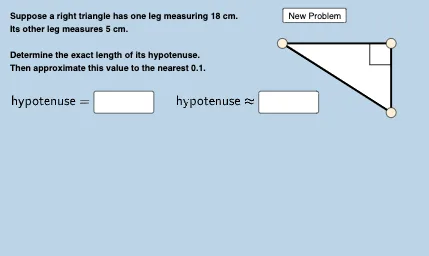
This example demonstrates the application of the Pythagorean Theorem in right triangles, dynamically showing the relationship where the sum of the squares of the legs equals the square of the hypotenuse. Key math concepts include the Pythagorean Theorem, right triangles, function graphs, distributions, piecewise functions, and hypothesis testing. It is constructed using commands like Random, SurdText, Textfield, Point, Line, Polygon, Segment, and Angle. Suitable for middle school and above students to understand and practice the theorem and related concepts.
GeoGebra Commands & Parameters
Random(2, 20) → cRandom(1, 20) → aRandom(1, c - 1) → bSurdText(hypans) → text1SurdText(legans) → text2Random(0, 1) → nTextfield(f) → InputBox1Textfield(f) → InputBox3Textfield(g) → InputBox2Textfield(g) → InputBox4Point(Ray[A, A + (1, 0)]) → BPoint(x = x(B)) → CLine(B, C) → hPolygon(A, B, C) → t1, c_1, a_1, b_1Segment(A, B) → jSegment(B, C) → kSegment(C, A) → lAngle(A, B, C) → α
AI Drawing Prompt Reference
Draw a right triangle with one leg horizontal and the other vertical, connected by a hypotenuse. Place a movable point on the horizontal leg, and from it draw a vertical line up to the hypotenuse, forming a smaller inner right triangle. Mark the three sides with segments and show a right-angle symbol at the right angle vertex. Next to the figure, place four input boxes for entering the two legs and the hypotenuse values, and display two text results: one showing the hypotenuse in square-root form, and the other showing the square root of the sum of squares of the legs. Keep the layout clear for practicing the Pythagorean theorem.
The prompt above was compiled from the original drawing commands and is for reference only.