
Pythagorean Theorem Exploration by Tim Brzezinski (3)
Loading the math board and drawing, please wait…
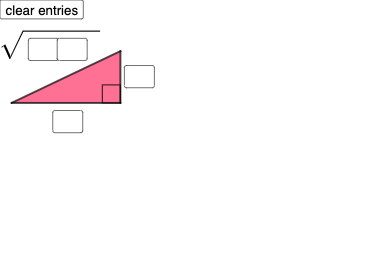
This example demonstrates the Pythagorean Theorem by constructing a right triangle and showing that the sum of the squares of the lengths of the legs equals the square of the length of the hypotenuse. Key mathematical concepts include right triangles, the Pythagorean Theorem, and vectors. It uses commands like Polygon, Segment, Angle, Circle, Point, and Intersect in GeoGebra. Suitable for middle school and above students learning geometry and trigonometry.
GeoGebra Commands & Parameters
Textfield(a) → InputBox1Textfield(b) → InputBox2Textfield(c) → InputBox3Textfield(d) → InputBox4Textfield(f) → InputBox5Textfield(g) → InputBox6Polygon(A, B, C) → t1, c_1, a_1, b_1Segment(C, B) → hSegment(B, A) → iSegment(A, C) → jAngle(C, B, A) → αCircle(D, a) → ePoint(e) → ECircle(E, b) → kCircle(D, sqrt((10 * c) + d)) → pIntersect(k, p, 2) → FPolygon(D, E, F) → t2, f_1, d_1, e_1Segment(D, E) → lSegment(E, F) → mSegment(D, F) → nInteriorAngles(t2) → β, γ, δMax({β, γ, δ}) → oIf(Length[Mode[l1]] ≟ 0, "No digits repeat!", "Repeated digits exist.") → text4
AI Drawing Prompt Reference
Draw on a coordinate plane a configuration based on adjustable inputs for several lengths. Construct an initial triangle by placing three points and drawing its three sides, then mark the angle at a chosen vertex. Use the length of a selected segment as a radius to draw a circle centered at a point from the triangle, create another circle using a second provided length, and take their intersection to define a new point. Connect the relevant triangle vertices and the intersection point to form a second polygon triangle, then display the three interior angles of this triangle and highlight the maximum one. Include a short text message that checks whether repeated digits exist when considering the segment-length formatting.
The prompt above was compiled from the original drawing commands and is for reference only.