
Pythagoras' Theorem Calculation (With Solutions)
Loading the math board and drawing, please wait…
In collections
Pythagoras' Theorem
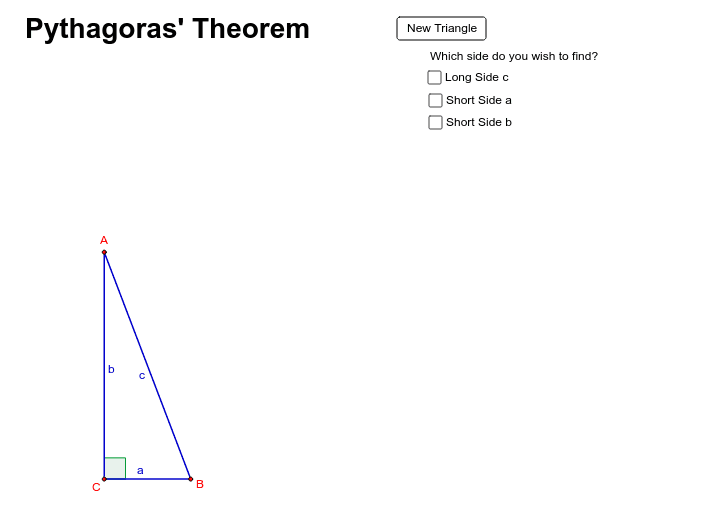
① This example demonstrates the dynamic calculation of the Pythagorean theorem by generating random right triangles and automatically computing the hypotenuse with step-by-step solutions. ② The core mathematical concept is the relationship among the sides of a right triangle (a²+b²=c²), involving side length measurement, angle verification, and area validation. ③ Construction highlights: uses GeoGebra's Random command to generate random side lengths, Segment to construct triangle edges, Angle to mark the right angle, Distance to measure sides, and text objects to display the calculation process and results; a button (button1) refreshes the problem. ④ Suitable for middle school geometry teaching or self-study, helping students intuitively grasp the Pythagorean theorem and its applications, and can serve as an interactive classroom exercise tool.
GeoGebra Commands & Parameters
Random(4, 35) → aRandom(4, 35) → bSegment(A, B) → cSegment(B, C) → dSegment(C, A) → eAngle(C, B, A) → αDistance(e, d) → fSegment(B, A) → gSegment(A, C) → hSegment(C, B) → iSegment(B, A) → kSegment(A, C) → lSegment(C, B) → pDistance(k, l) → qSegment(B, A) → sSegment(A, C) → tSegment(C, B) → a_1Distance(t, s) → u
AI Drawing Prompt Reference
Draw a right triangle with two legs of random lengths between 4 and 35. Connect the three vertices with line segments to form the triangle, and mark the right angle at the right-angle vertex. Measure and display the lengths of all three sides, and show the step-by-step calculation of the hypotenuse as the square root of the sum of the squares of the legs. Include a button that, when clicked, regenerates random leg lengths and updates all measurements and calculation text. The figure should clearly label side lengths and calculation steps for teaching purposes.
The prompt above was compiled from the original drawing commands and is for reference only.