
Putting it all together
Loading the math board and drawing, please wait…
In collections
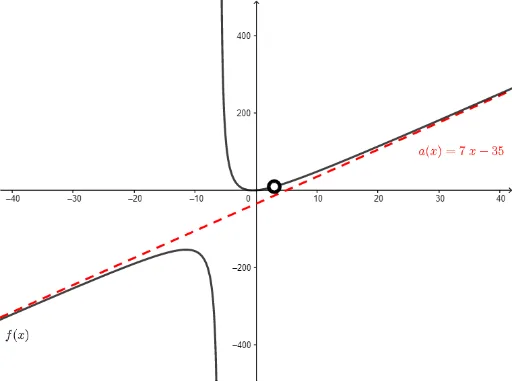
Rational Functions
This example demonstrates how to use GeoGebra to draw sequences, trigonometric functions, cones, and other geometric shapes. It involves key concepts of sequences and trigonometry. Using commands like Sequence, Union, and Intersection, complex geometric shapes can be drawn. Suitable for high school math education and learning.
GeoGebra Commands & Parameters
Division(n, d) → QuotientRemainderTextfield(n) → InputBox1Textfield(d) → InputBox2Length(list) → DiscCountSequence(x(list(i)), i, 1, DiscCount) → DiscontinuitiesUnion(Close, Discontinuities) → ImportantXsIntersection(rootsd, rootsn) → commonrootsLength(commonroots) → numberofholesSequence(x(Element[commonroots, i]), i, 1, numberofholes, 1) → xvalsSequence(Limit[f, Element[xvals, i]], i, 1, numberofholes, 1) → yvalsSequence((Element[xvals, i], Element[yvals, i]), i, 1, numberofholes, 1) → holes
AI Drawing Prompt Reference
Draw a complex geometric shape that includes sequences, trigonometric functions, cones, and other geometric shapes, demonstrating how to combine these elements to create intricate forms. Start by calculating sequences based on input parameters, then identify discontinuities and common roots, determine the positions and limits of these points, and finally connect them to form the final shape.
The prompt above was compiled from the original drawing commands and is for reference only.