
Psychedelic Triangle
Loading the math board and drawing, please wait…
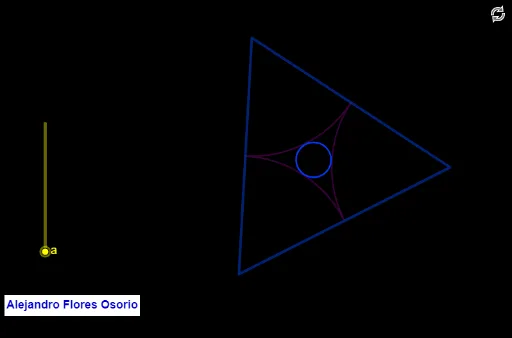
This example demonstrates a dynamic psychedelic triangle with related geometric transformations. It involves core math concepts like angles, centroid, dilation, equilateral triangles, reflection, and quadratic functions. Construction highlights include GeoGebra commands such as Intersect, Point, Circle, Rotate, Angle, Polygon, Midpoint, and Sequence. Suitable for high school and above learners exploring geometric transformations and algebraic relationships.
GeoGebra Commands & Parameters
Intersect(xAxis, yAxis) → APoint(xAxis) → BCircle(A, B) → cPoint(c) → CRotate(C, 120°, A) → EAngle(C, A, E) → αPolygon(C, E, 3) → polígono1, f, g, h, DMidpoint(C, E) → FMidpoint(E, D) → GMidpoint(D, C) → HSequence(((1 - i) * C) + (i * F), i, 0, 1, abs(a)) → l1Sequence(((1 - i) * C) + (i * H), i, 0, 1, abs(a)) → l2Sequence(CircleArc[C, Element[l1, j], Element[l2, j]], j, 1, Length[l1]) → l3Sequence(((1 - i) * E) + (i * F), i, 0, 1, abs(a)) → l4Sequence(((1 - i) * E) + (i * G), i, 0, 1, abs(a)) → l5Sequence(CircleArc[E, Element[l5, j], Element[l4, j]], j, 1, Length[l4]) → l6Sequence(((1 - i) * D) + (i * H), i, 0, 1, abs(a)) → l7Sequence(((1 - i) * D) + (i * G), i, 0, 1, abs(a)) → l8Sequence(CircleArc[D, Element[l7, j], Element[l8, j]], j, 1, Length[l4]) → l9Circle(A, I) → dSequence(Dilate[d, i, A], i, 0, 1, abs(a)) → l10