
Properties of a Rhombus by Jovena Sim
Loading the math board and drawing, please wait…
In collections
Parallelogram
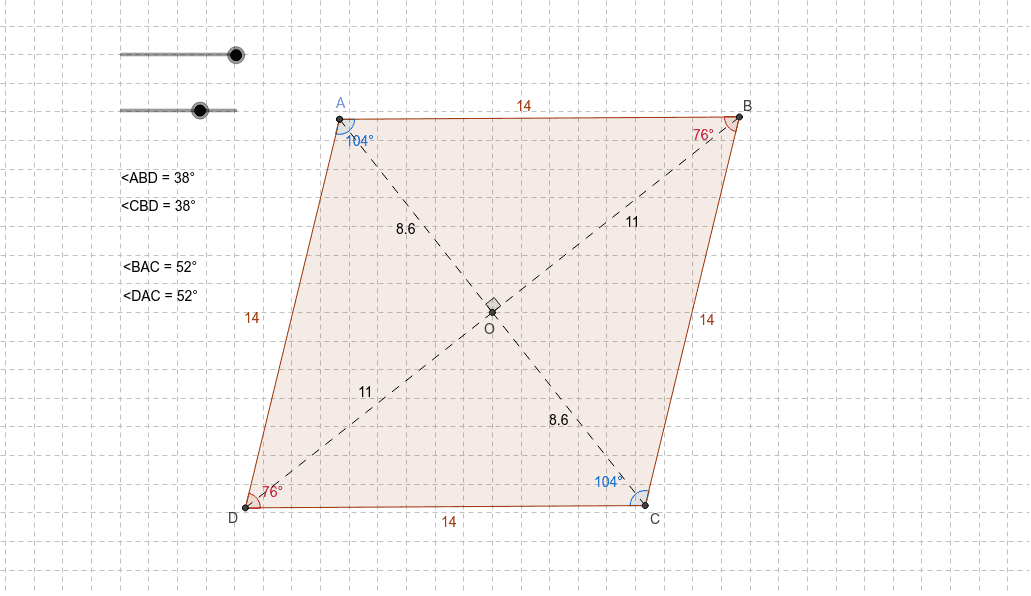
This example demonstrates the geometric properties of a rhombus interactively. Key math concepts involved include equal sides, perpendicular and bisecting diagonals, angle bisectors, and similar triangles. Construction highlights involve GeoGebra commands such as Intersect, Circle, Point, Line, OrthogonalLine, Polygon, Segment, and Angle to build the rhombus and its related elements. Suitable for high school students learning about rhombus geometry.
GeoGebra Commands & Parameters
Intersect(xAxis, yAxis) → OCircle(O, r) → cCircle(O, r - a) → dPoint(d) → ALine(A, O) → bIntersect(d, b) → C_1, COrthogonalLine(O, b) → eIntersect(c, e) → D, BPolygon(A, B, C, D) → P, a_1, b_1, c_1, d_1Segment(A, O) → fSegment(O, C) → gSegment(O, B) → hSegment(O, D) → iAngle(B, O, A) → αAngle(D, A, B) → βAngle(B, C, D) → γAngle(A, B, D) → δAngle(C, D, B) → εAngle(C, D, A) → ζAngle(A, B, C) → ηAngle(A, B, D) → θAngle(D, B, C) → ιAngle(B, A, C) → κAngle(D, A, C) → λ
AI Drawing Prompt Reference
Draw a rhombus by first drawing a circle centered at the origin, then drawing a circle that intersects the x-axis and y-axis, finding point A as the intersection, drawing a line through the origin, finding points C and D as the intersections with the second circle, connecting these four points to form the rhombus P. Then draw line segments from the origin to each vertex, and measure and display the degree of each interior angle.
The prompt above was compiled from the original drawing commands and is for reference only.