
Problem 34 - Systems of Linear Equations
Loading the math board and drawing, please wait…
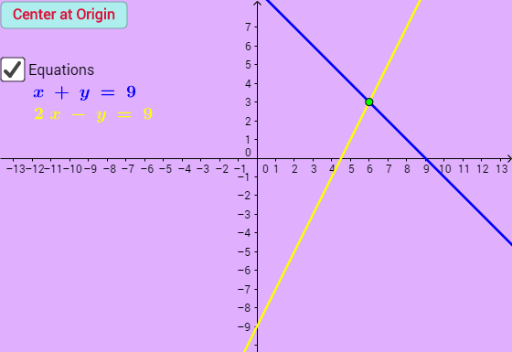
This example demonstrates the graphical representation and solution of systems of linear equations, using plane geometric shapes and interactive buttons to show relationships among multiple linear equations. Core mathematical concepts include linear equations, solutions of equation systems, plane figures (such as lines), and extended topics like reflection, percentages, probability, and parabolas. Construction highlights: the Point command creates key points, while various objects (a, n_1, n_2, n_3, b, c, d, e, f, g, h, i, j, C, D) and buttons (button1, button2, button3) enable dynamic interaction; text objects (text1 to text6) display equations and results. Suitable for middle school mathematics, this example helps students understand the geometric meaning and algebraic solving of linear systems, and is useful for classroom demonstrations or self-study.
GeoGebra Commands & Parameters
Point(yAxis) → C