
Prism Solid Construction and Volume Visualization in GeoGebra
Loading the math board and drawing, please wait…
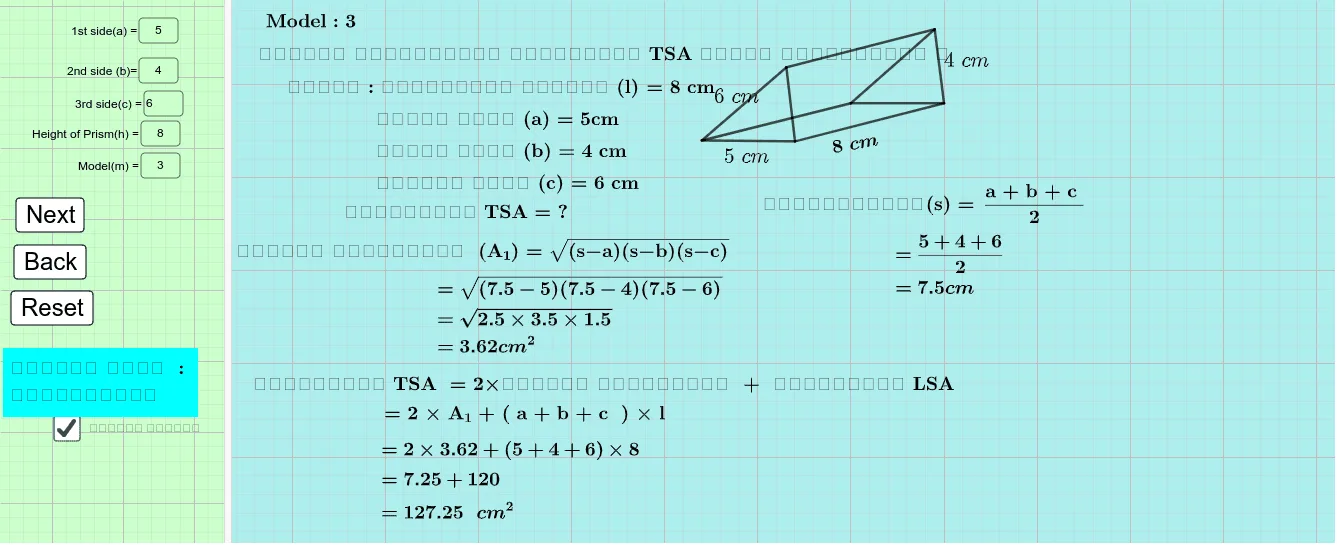
This example demonstrates how to construct a prism-related 3D solid in GeoGebra and visualize measurements such as the relationships between base area, lateral structure, and volume. The main mathematical ideas are solid geometry for prisms, the role of base polygons/cross-sections, and measurement-based reasoning for volume (often linked to interactive parameters). Construction highlights: Textfield and InputBox objects provide user-controlled parameters and on-screen labels; Point, Segment, and Polygon define the key points, edges, and the base shape; Circle and Intersect are used to determine circle-related intersection points that position parts of the construction; Rotate and RotateText help place and duplicate elements through rotation to form the prism structure; finally, objects like Volume and barea are used to display computed quantities during the construction. Suitable for advanced secondary school, early undergraduate geometry modeling, and classroom activities focused on dynamic geometry and spatial visualization.
GeoGebra Commands & Parameters
Textfield(a) → InputBox1Textfield(h) → InputBox3Textfield(m) → InputBox4RotateText(text37, 10°) → text38Textfield(b) → InputBox2Textfield(c) → InputBox5Point(Circle[A, a]) → BSegment(A, B) → fCircle(B, b) → dCircle(A, c) → eIntersect(d, e, 2) → CPolygon(A, B, C) → t1, c_1, a_1, b_1Point(Circle[D, Segment[A, B]]) → ERotate(E + (Segment[B, C], 0), Angle[C - B] + Angle[E - D] - Angle[B - A], E) → FPolygon(D, E, F) → t2, f_1, d_1, e_1Segment(B, E) → gSegment(A, D) → iSegment(C, F) → j
AI Drawing Prompt Reference
Construct a triangular prism with two congruent triangular bases and three lateral edges. Start by drawing a circle centered at a point with a given radius, choose a point on it as one vertex of the base triangle, then draw two more circles centered at that vertex and the original center with specified radii, and take their intersection as the third vertex to define the base triangle. Next, on a parallel plane, obtain corresponding vertices by rotating and copying the base triangle, then connect corresponding vertices with segments to form the lateral edges, completing the prism. Finally, display labels for base area and volume, and include adjustable parameter input boxes.
The prompt above was compiled from the original drawing commands and is for reference only.