
Isosceles Oblique Prism: Volume and Centroid Geometric Construction
Loading the math board and drawing, please wait…
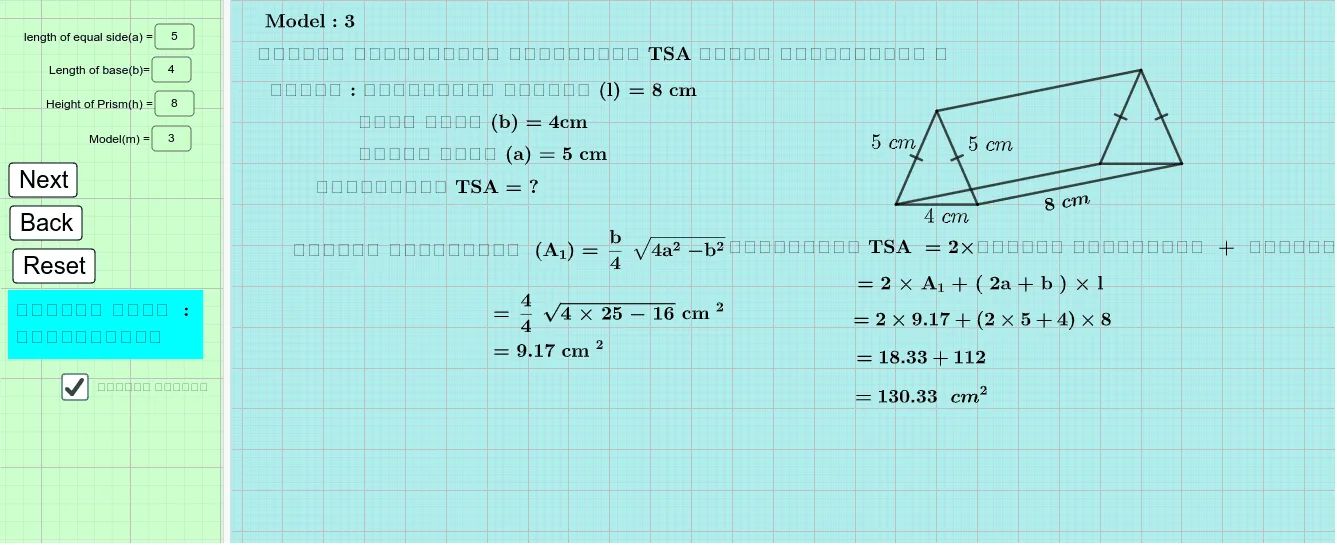
This example demonstrates how to build an isosceles (oblique) prism in GeoGebra, using a parameterized construction to compute and visualize key geometric quantities such as height, side/edge lengths, and the resulting volume. It highlights core ideas from solid geometry and measurement: prism construction, similarity of triangles to relate corresponding faces or cross-sections, and function-like mappings (including multiplication/parameter relations) that connect geometric dimensions to computed results. When included in the construction, centroid or barycenter concepts help interpret the location of significant interior points relative to the prism. Construction workflow: parameters and labels are created with Textfield; key vertices are defined using Point; Circle and Intersect are used to obtain critical intersection points that determine the base and side geometry; Polygon connects vertices into the faces; Segment draws required edges/height lines; Rotate performs the necessary 3D rotational placement of parts; and RotateText keeps annotations aligned. The model uses GeoGebra objects such as InputBoxes for parameters and labeled intermediate variables (e.g., a, b, h, LSA, m) together with a Volume readout, making it suitable for exploring how changing inputs affects the 3D measurements. Designed for upper secondary and introductory university geometry instruction, classroom demonstrations, and parameter-based investigation tasks.
GeoGebra Commands & Parameters
Textfield(a) → InputBox1Textfield(h) → InputBox3Textfield(m) → InputBox4Point(Circle[A, a]) → BRotateText(text37, 10°) → text38Point(Circle[C, b]) → ECircle(E, a) → dCircle(C, a) → eIntersect(d, e, 2) → FPolygon(C, E, F) → t1, f_1, c_1, e_1Point(Circle[G, Segment[C, E]]) → HRotate(H + (Segment[E, F], 0), Angle[F - E] + Angle[H - G] - Angle[E - C], H) → IPolygon(G, H, I) → t2, i, g, h_1Segment(E, H) → jSegment(C, G) → kSegment(F, I) → lTextfield(b) → InputBox2
AI Drawing Prompt Reference
Draw an isosceles oblique prism by first setting the base radius a, height h, and side length m. Draw a circle with center C and radius a to get point B. Draw another circle with center C and radius b, and a circle with center E and radius a to get intersection point F. Connect C, E, and F to form the base. Draw a circle with center C and radius CE to get point H, then rotate H to get point I, and connect G, H, and I to form the side. Connect E and H, C and G, and F and I to form the height lines of the prism.
The prompt above was compiled from the original drawing commands and is for reference only.