
Prince Ruperts Cube
Loading the math board and drawing, please wait…
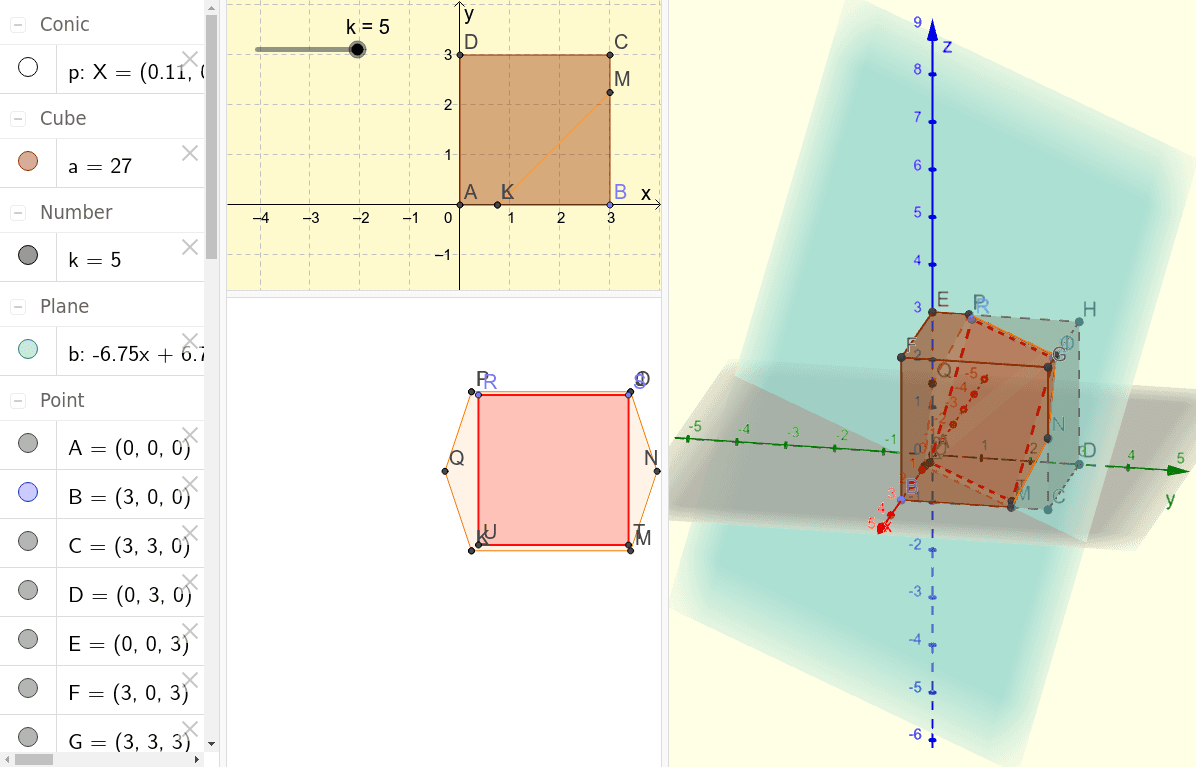
This example demonstrates how a larger cube can pass through a hole in a smaller cube, illustrating spatial geometry relationships. It involves core concepts like solid geometry and spatial transformations. The construction uses GeoGebra commands such as Intersect, Point, Cube, Plane, IntersectPath, PointIn, Circle, and Polygon. Suitable for high school and above students learning about spatial geometry constructions and transformations.
GeoGebra Commands & Parameters
Intersect(yAxis, zAxis) → APoint(xAxis) → BCube(A, B, xOyPlane) → a, C, sidytaBCGF, sidytaCDHG, sidytaEFGH, kantAD, kantAB, kantBC, kantCD, kantAE, kantDH, kantEH, D, kantEF, kantBF, kantFG, kantCG, kantGH, E, F, G, H, sidytaABCD, sidytaADHE, sidytaABFEPlane(I, J, K) → bIntersectPath(b, a) → Polygon1, L, f, g, h, M, N, O, P, Q, c, d, ePointIn(b) → RCircle(R, 3, b) → pPoint(p) → SPolygon(R, S, 4, b) → Polygon2, i, j, l, m, T, U
AI Drawing Prompt Reference
Draw a larger cube passing through a hole in a smaller cube to illustrate spatial geometry. Construct two cubes, one centered at the origin and the other rotated and translated. Create a plane intersecting the larger cube to form a polygon. Draw a circle on this polygon and build a quadrilateral using points on the circle, resulting in a complex spatial geometric figure.
The prompt above was compiled from the original drawing commands and is for reference only.