
Practice on Polynomial Properties
Loading the math board and drawing, please wait…
In collections
Grade 12 PreCalculus BC
This example provides random exercises on polynomial properties to help students understand the characteristics of polynomials. Key mathematical concepts include polynomial expansion, factorization, and degree. Using GeoGebra commands such as Expand, Factor, and Degree, students can observe the changes in polynomial properties visually. Suitable for high school mathematics education.
GeoGebra Commands & Parameters
Textfield(studc2) → InputBox4Textfield(studc1) → InputBox3Random(1, 5) → r1RandomElement({-8, -10, 0, 0, 0, 8, 9, 10}) → r6Random(-5, -1) → r5Random(-5, -1) → r4Random(1, 5) → r3Random(1, 5) → r2Shuffle(rlist) → rshlist, {2, -1, 1, 3, -8, -5}Element(rshlist, 3) → rr3Element(rshlist, 2) → rr2Element(rshlist, 1) → rr1Element(rshlist, 4) → rr4Shuffle(listf) → listfshuffle, {(((x - 2) * (x + 1)) * (x - 1)), (((x - 2) * (x + 1)) * x^(2 + 1)), (((x - 2) * (x + 1)) * (x^(2) + (2 * x) + 1)), (((x - 2) * (x^(2) + 1)) * ((x - 1) * (x - 3))), (((((x - 2) * (x + 1)) * (x - 1)) * (x - 1)) * (x^(2) + (2 * x) + 1)), (2 * x) + 1, ((x - 1) * (x - 3))}Element(listfshuffle, nN) → f0Random(0, 1) → rannegIf(ranneg ≟ 0, (-f0(x)), f0) → fpnExpand(fpn) → fexpFactor(fexp) → fsimIf(qQ ≟ 1, fexp, fsim) → fdisplayDegree(fdisplay) → ansadegreeIf(GCD[ansadegree, 2] ≟ 2, 1, 0) → evenis1If(evenis1 ≟ 0 ∧ ranneg ≟ 1, 1, If[evenis1 ≟ 1 ∧ ranneg ≟ 1, 1, 4]) → ansc2If(evenis1 ≟ 0 ∧ ranneg ≟ 1, 3, If[evenis1 ≟ 1 ∧ ranneg ≟ 0, 3, 2]) → ansc1Element(rshlist, 5) → rr5Corner(5) → dimsIf(evenis1 ≟ 1, 0, 1) → ansd1If(evenis1 ≟ 1, 1, 0) → anse1Textfield(studadegree) → InputBox1Textfield(studbyint) → InputBox2Textfield(studd2) → InputBox6Textfield(stude2) → InputBox8Textfield(stude1) → InputBox7Textfield(studd1) → InputBox5AreEqual(InputBox1, ansadegree) → corraAreEqual(InputBox2, ansbyint) → corrb
AI Drawing Prompt Reference
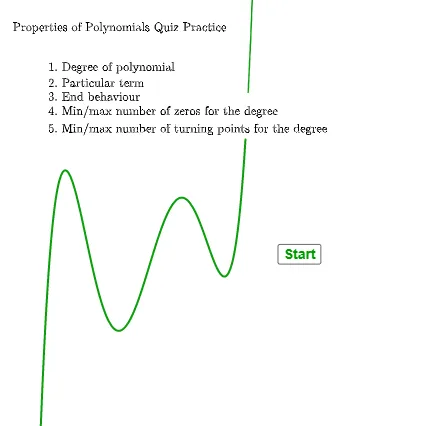
Create an interactive math figure for practicing polynomial properties. The interface includes several input boxes for students to enter answers about the polynomial's degree, constant term, and parity. The main object is a randomly generated polynomial function, displayed either in expanded or factored form, with its graph shown. Coefficients and constants are generated randomly and shuffled to vary each exercise. The figure also displays the polynomial's degree and includes logic to determine if it is even or odd. The layout includes a title, function graph, input areas, and answer feedback sections, suitable for high school classroom use.
The prompt above was compiled from the original drawing commands and is for reference only.