
Position the Tangent Line to the Circle
Loading the math board and drawing, please wait…
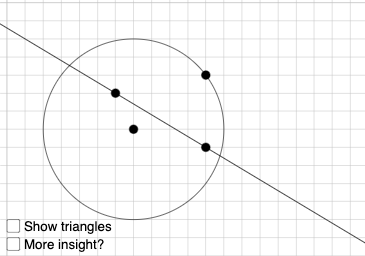
This example demonstrates how to position the tangent line to a circle in GeoGebra. It involves core mathematical concepts such as circles, tangent lines, slopes, similar triangles, and geometric constructions. Key GeoGebra commands used include Circle, Point, Line, Intersect, IsTangent, and Angle. Suitable for high school mathematics education to understand and manipulate the geometric properties of tangent lines.
GeoGebra Commands & Parameters
Circle(B, J) → eq1Point(eq1) → ATextfield(r) → InputBox1Line(C, D) → fIntersect(x = x(B), y = y(A)) → FPolygon(B, F, A) → t1, a, b, f_1IsTangent(f, eq1) → eLine(B, A) → gPoint(f) → GPolygon(G, H, I) → t2, i, g_1, h_1Segment(G, H) → jSegment(H, I) → lSegment(A, F) → mSegment(F, B) → pAngle(A, F, B) → αAngle(I, H, G) → βSegment(A, B) → qIf(e ≟ true, "Line is tangent to circle!", "") → text5Angle(g, f) → γ
AI Drawing Prompt Reference
Draw a circle and select a point on the circle as the tangency point. Input a slope value for the tangent line. Draw the tangent line based on the slope and tangency point, and find its intersection with the circle. Construct a triangle connecting the circle's center, the tangency point, and the intersection point of the tangent line and the circle. Check if the line is tangent to the circle and display the result. Finally, construct lines connecting the tangency point to the circle's center and the intersection point of the tangent line and the circle, and measure and display the relevant angles.
The prompt above was compiled from the original drawing commands and is for reference only.