
Position of a Point Relative to a Straight Line
Loading the math board and drawing, please wait…
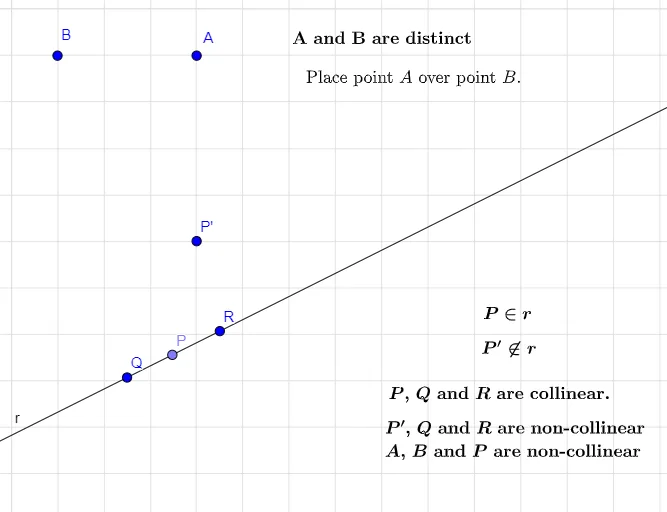
This example demonstrates how to dynamically explore the relative position of a point with respect to a given straight line using GeoGebra. The core mathematical concepts involve the equation of a line, the distance from a point to a line, perpendicular projection, and related coordinate geometry relationships. The construction uses the Line command to create line AB and defines variable points P, Q, R, etc., with text objects to display measurements. It is suitable for high‑school geometry and analytic geometry courses and serves as an instructional tool for visualizing point‑line positional relationships.
GeoGebra Commands & Parameters
Line(Q, R) → rPoint(r) → P
AI Drawing Prompt Reference
Draw a geometric figure showing the relative position of a point with respect to a straight line. The figure should include a straight line and a point P. Point P can be above, below, or intersecting the line. Also include text objects to display the distance from the point to the line and the projection position. The construction order is to draw the line first, then define point P, and finally add measurement text.
The prompt above was compiled from the original drawing commands and is for reference only.