
Solving Quadratic Equations with Error Correction
Loading the math board and drawing, please wait…
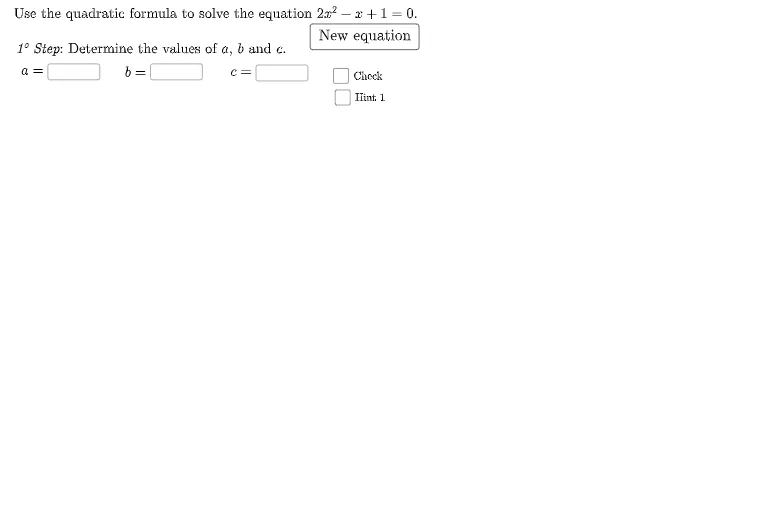
This example demonstrates solving quadratic equations using GeoGebra and highlights common student errors. Key mathematical concepts include quadratic equation solutions, discriminant, and root properties. Construction involves using commands like Random, Element, Textfield to create equation objects, input boxes, and feedback mechanisms. Suitable for middle or high school mathematics teaching to help students understand solving processes and error correction.
GeoGebra Commands & Parameters
Random(1, 5) → iiElement({-4, 4, 0, -4, -1}, ii) → bElement({1, 2, 2, 1, 2}, ii) → aElement({3, 0, -32, 4, 1}, ii) → cTextfield(User1) → InputBox2Textfield(User2) → InputBox3If(b < 0, "", "+") → sinal1If(c < 0, "", "+") → sinal2SelectedIndex(opt1list) → opçãoescolhidaSequence("SetValue(User" + (i) + ",?)", i, opçãoescolhida - 1, 2) → clearAnswersSolutions((a * x^(2)) + (b * x) + c = 0) → l1If(b ≟ -1, "-", btexto) → b1Textfield(usera) → InputBox1Textfield(userb) → InputBox4Textfield(userc) → InputBox5Textfield(userdelta) → InputBox6Random(1, 5) → hRandom(1, 5) → jRandom(1, 5) → kRandom(-2, 4) → aaRandom(-2, 4) → bbRandom(-2, 4) → ccIf(delta < 0, semsolução, comsolução) → textosoluçãoRandom(1, 5) → ii_{1}Element({-4, 4, 0, -4, -1}, ii_{1}) → b_{1}
AI Drawing Prompt Reference
Draw a quadratic equation and its solutions, including input fields for users to enter the coefficients a, b, and c, display the equation and its solutions, calculate the discriminant Δ based on the inputs, and determine if the equation has real solutions based on Δ. Randomly generate a quadratic equation, show its graph and solutions, allow users to input values for b and c, and dynamically adjust the equation and solution display based on the inputs.
The prompt above was compiled from the original drawing commands and is for reference only.