
Polynomial Magic Trick: Exploring Function Patterns with Mod and Input Boxes
Loading the math board and drawing, please wait…
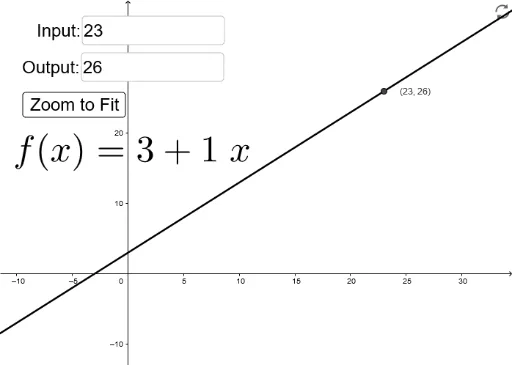
This interactive GeoGebra example presents a 'magic trick' that reveals hidden patterns in polynomial functions using modular arithmetic. The core mathematical concepts involve polynomial functions, the modulo operation (Mod), function iteration, and algebraic reasoning. The construction utilizes Textfield and InputBox objects for user input, along with If and Mod commands to control the computational flow, while creating numerous objects (A2-A19, B1-B11, etc.) to store intermediate results and display steps. This resource is ideal for high school or early college students to explore periodicity in polynomial expressions under modular arithmetic, understand function composition, and appreciate how interactive design can make abstract algebra concepts engaging. It serves both as a classroom demonstration and as a self-guided exploration tool for discovering mathematical regularities.
GeoGebra Commands & Parameters
Textfield(B1) → InputBox1Textfield(B2) → InputBox2Mod(B2, $B$1) → C2Mod(B3, $B$1) → C3Mod(B4, $B$1) → C4Mod(B5, $B$1) → C5Mod(B6, $B$1) → C6Mod(B7, $B$1) → C7Mod(B8, $B$1) → C8Mod(B9, $B$1) → C9Mod(B10, $B$1) → C10Mod(B11, $B$1) → C11Mod(B12, $B$1) → C12Mod(B13, $B$1) → C13If((2 * C2) > $B$1, C2 - $B$1, C2) → D2If((2 * C3) > $B$1, C3 - $B$1, C3) → D3If((2 * C4) > $B$1, C4 - $B$1, C4) → D4If((2 * C5) > $B$1, C5 - $B$1, C5) → D5If((2 * C6) > $B$1, C6 - $B$1, C6) → D6If((2 * C7) > $B$1, C7 - $B$1, C7) → D7If((2 * C8) > $B$1, C8 - $B$1, C8) → D8If((2 * C9) > $B$1, C9 - $B$1, C9) → D9If((2 * C10) > $B$1, C10 - $B$1, C10) → D10If((2 * C11) > $B$1, C11 - $B$1, C11) → D11If((2 * C12) > $B$1, C12 - $B$1, C12) → D12If((2 * C13) > $B$1, C13 - $B$1, C13) → D13Mod(B14, $B$1) → C14If((2 * C14) > $B$1, C14 - $B$1, C14) → D14Mod(B15, $B$1) → C15If((2 * C15) > $B$1, C15 - $B$1, C15) → D15Mod(B16, $B$1) → C16If((2 * C16) > $B$1, C16 - $B$1, C16) → D16Mod(B17, $B$1) → C17If((2 * C17) > $B$1, C17 - $B$1, C17) → D17Mod(B18, $B$1) → C18If((2 * C18) > $B$1, C18 - $B$1, C18) → D18Mod(B19, $B$1) → C19If((2 * C19) > $B$1, C19 - $B$1, C19) → D19If(D3 ≟ 0, 0, (D3 * E3(x))) → F3If(D4 ≟ 0, 0, (D4 * E4(x))) → F4If(D5 ≟ 0, 0, (D5 * E5(x))) → F5If(D6 ≟ 0, 0, (D6 * E6(x))) → F6If(D7 ≟ 0, 0, (D7 * E7(x))) → F7If(D8 ≟ 0, 0, (D8 * E8(x))) → F8If(D9 ≟ 0, 0, (D9 * E9(x))) → F9If(D10 ≟ 0, 0, (D10 * E10(x))) → F10If(D11 ≟ 0, 0, (D11 * E11(x))) → F11If(D12 ≟ 0, 0, (D12 * E12(x))) → F12If(D13 ≟ 0, 0, (D13 * E13(x))) → F13If(D14 ≟ 0, 0, (D14 * E14(x))) → F14If(D15 ≟ 0, 0, (D15 * E15(x))) → F15If(D16 ≟ 0, 0, (D16 * E16(x))) → F16If(D17 ≟ 0, 0, (D17 * E17(x))) → F17If(D18 ≟ 0, 0, (D18 * E18(x))) → F18If(D19 ≟ 0, 0, (D19 * E19(x))) → F19
AI Drawing Prompt Reference
Create an interactive math exploration layout with two input boxes for entering an integer modulus and a polynomial expression. Below, display a series of rows showing the polynomial evaluated at consecutive integers, reduced modulo the modulus, and then mapped to a symmetric range (subtracting the modulus if the result exceeds half of it). Based on these results, generate multiple function terms, each formed by multiplying a non-zero result by a corresponding basis function, and sum them to produce a curve that reveals periodic patterns under modular arithmetic. Arrange the interface to clearly show the inputs, the step-by-step computation, and the final graph.
The prompt above was compiled from the original drawing commands and is for reference only.