
Polar-curve playground: when a “circle” isn’t really a circle
Loading the math board and drawing, please wait…
In collections
Curves
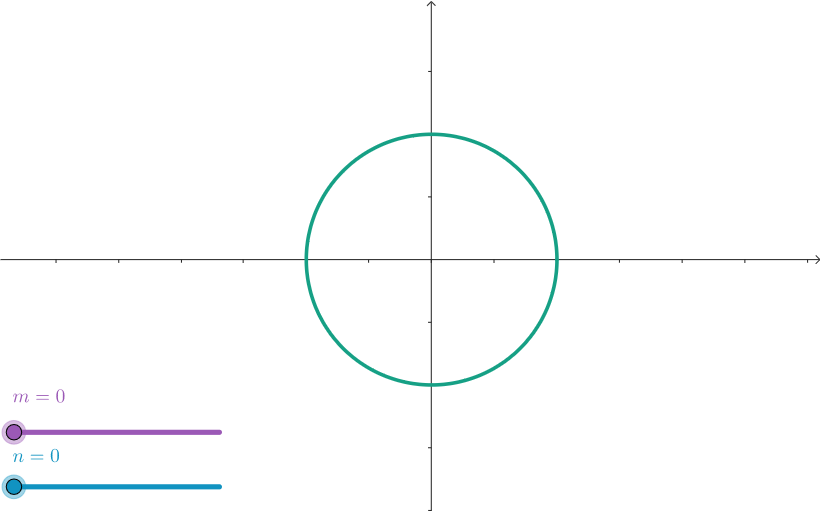
This example demonstrates a polar-curve style exploration where shapes that look circle-like can be generated by a broader parameterized construction rather than the usual single-radius circle. It focuses on how parameter choices reshape the curve’s geometry, highlighting parametric curve sketching and the relationship between polar-style expressions and Cartesian curve plotting, together with ratio/scaling parameters that control the form. In GeoGebra, the construction is based on the command CurveCartesian, creating the curve from parameter-dependent coordinates, while the objects n, m, and a represent the key parameters that drive the family of curves. The result is suitable for high school to early university students learning coordinate geometry, parametric equations, and graphing techniques, and for educators seeking an intuitive visualization of how changing parameters affects curve geometry.
GeoGebra Commands & Parameters
CurveCartesian((1 - (cos((n * θ)) * sin((m * θ))); θ), θ, 0, (2 * 3.141592653589793)) → a
AI Drawing Prompt Reference
Plot a parametric curve where the x-coordinate equals 1 minus the product of cosine and sine functions of nθ and mθ respectively, while the y-coordinate equals θ, with θ ranging from 0 to 2π. The curve appears circle-like but is generated through a parameter-dependent construction rather than a traditional single-radius circle. Demonstrate how parameters n and m reshape the curve's geometry and symmetry, illustrating the relationship between polar-style expressions and Cartesian curve plotting.
The prompt above was compiled from the original drawing commands and is for reference only.