
Polar Coordinate Battleship
Loading the math board and drawing, please wait…
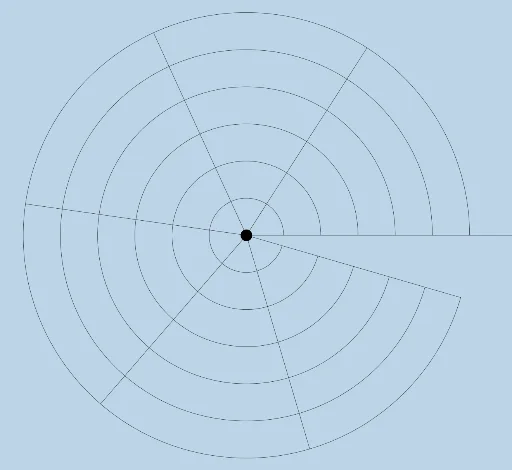
This is a polar coordinate style battleship game with game boards and instructions included. Using commands like Rotate, Segment, Intersect, CircleArc, and Ray, you can construct a polar coordinate battleship game. Suitable for middle school and above students for geometric construction practice.
GeoGebra Commands & Parameters
Rotate(G, 2) → G'_1Segment(A, G'_1) → jRotate(G, 6) → G'_5Segment(A, G'_5) → pIntersect(h, p, 1) → MCircleArc(A, F, M) → c_1Intersect(c_1, j, 1) → RSegment(A, R) → bRotate(G, 5) → G'_4Intersect(c, p, 1) → HCircleArc(A, B, H) → qSegment(A, G'_4) → nIntersect(q, n, 1) → TCircleArc(A, B, T) → h_1Ray((0, 0), (1, 0)) → fRotate(G, 1) → G'Rotate(G, 3) → G'_2Rotate(G, 4) → G'_3Segment(A, G') → iSegment(A, G'_2) → lSegment(A, G'_3) → mIntersect(d, p, 1) → IIntersect(e, p, 1) → JIntersect(g, p, 1) → KCircleArc(A, C, I) → rCircleArc(A, D, J) → sCircleArc(A, E, K) → tCircleArc(A, G, G'_5) → d_1
AI Drawing Prompt Reference
Draw a polar coordinate style battleship game. Start by rotating a point around the origin twice, then draw line segments with these points as endpoints. Next, use intersection points and arcs to construct new line segments and arcs, gradually building the game board. Finally, complete all line segments and arcs through rotation and intersection operations.
The prompt above was compiled from the original drawing commands and is for reference only.