
Points on a Plane: Geometric Construction and Coordinate Exploration
Loading the math board and drawing, please wait…
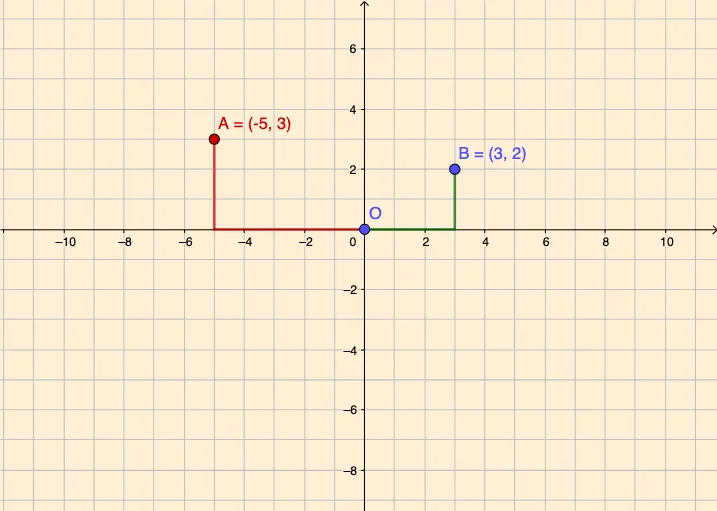
This example demonstrates how to work with points on a plane by connecting them with segments and observing the resulting geometric relationships. The core mathematical concepts include coordinates of points, line segments, and derived objects such as triangles, circumcircles, and functions. The construction uses the GeoGebra Segment command, involving points A, B, C, O, D and functions f, g, h, i, creating an interactive environment for exploring planar geometry. It is suitable for middle and high school students learning coordinate geometry, graphing, and basic calculus concepts, and serves as a visual aid for teachers to illustrate point properties, distances, collinearity, and the transition to function analysis.
GeoGebra Commands & Parameters
Segment(O, D) → fSegment(D, B) → gSegment(O, C) → hSegment(C, A) → i
AI Drawing Prompt Reference
Draw a coordinate plane with several points placed at distinct locations, such as near the origin, upper right, lower left, and another side. Connect two pairs of these points with straight line segments, creating two crossing lines. Then, use three of the points to form a triangle, and draw its circumcircle passing through all three vertices. Additionally, include a few smooth curves representing functions that pass near or through some of the points, to illustrate relationships between points and graphs. The final image should clearly show point coordinates, segment lengths, and geometric connections, suitable for exploring basic coordinate geometry and function concepts.
The prompt above was compiled from the original drawing commands and is for reference only.