
Point Symmetry: Another Perspective
Loading the math board and drawing, please wait…
In collections
Congruence (CO) Cluster
CCSS High School: Geometry (Congruence) Volume 1
CCSS High School: Geometry (Congruence) Volume 1
CCSS High School: Geometry (Congruence) Volume 1
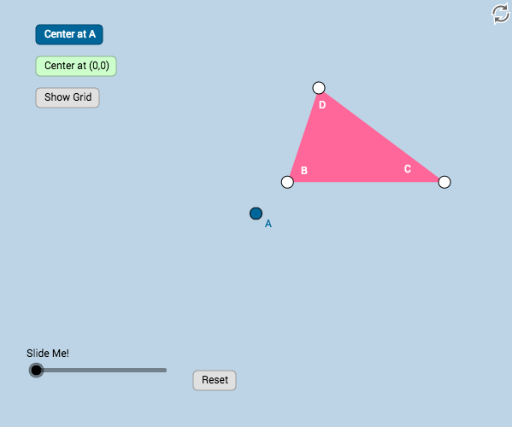
This example dynamically illustrates an alternative explanation of point symmetry. Key mathematical concepts include point symmetry, rotation, and transformation. Using GeoGebra commands such as Polygon, Segment, Rotate, Dilate, and Angle, the nature of point symmetry is intuitively understood. Suitable for middle school and above students and teachers, it aids in geometric construction and transformation understanding.
GeoGebra Commands & Parameters
Polygon(B, C, D) → poly1, d, b, cSegment(B, C) → fSegment(C, D) → gSegment(D, B) → hRotate(B, If[1 < a ≤ 2, ((a - 1) * π), π], A) → B'Rotate(C, If[1 < a ≤ 2, ((a - 1) * π), π], A) → C'Rotate(D, If[1 < a ≤ 2, ((a - 1) * π), π], A) → D'Polygon(B', C', D') → poly1', d', b', c'Dilate(A, If[0 < a ≤ 1, 1 - a, 0], B) → A'Segment(A, A') → iAngle(B, A, B') → αSegment(A, B') → j
AI Drawing Prompt Reference
Draw a quadrilateral ABCD, then rotate it around point A to create a new quadrilateral A'B'C'D'. Next, dilate point A with B as the center to point A', connect A and A', and measure the angle ∠BAA'.
The prompt above was compiled from the original drawing commands and is for reference only.