
Plotting Points: Dynamic Example
Loading the math board and drawing, please wait…
In collections
Plotting Points
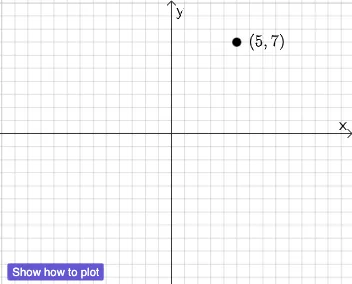
This example demonstrates how to dynamically plot and modify points in the coordinate plane. Key mathematical concepts include coordinate geometry and transformation. It uses GeoGebra commands such as PointIn, Intersect, Dilate, and Vector. Suitable for middle school and above students learning geometric construction and transformation.
GeoGebra Commands & Parameters
PointIn(-10 ≤ x ≤ 10 ∧ -10 ≤ y ≤ 10) → AIntersect(xAxis, yAxis) → CDilate(C, If[0 < a ≤ 1, 1 - a, 0], B) → C'Vector(C, C') → fDilate(B, If[1 < a ≤ 2, 2 - a, 0], A) → B'Vector(B, B') → u
AI Drawing Prompt Reference
In the coordinate plane, first place a dynamic point as a reference, and mark the intersection of the axes as a fixed point. Then, based on a variable parameter, scale and move the fixed point along a direction to create a new point, and draw a vector from the fixed point to this new point. Next, using another range of the same parameter, scale and move the dynamic point along a different direction to form another new point, and draw a vector from the original dynamic point to this new point. The figure shows two points moving continuously with the parameter, with vectors indicating their displacement, illustrating scaling and translation in coordinate geometry.
The prompt above was compiled from the original drawing commands and is for reference only.